What is Affinity Designer?
Short answer
Affinity Designer is a professional-grade vector graphics software developed by Serif. Launched in 2014, it serves as a robust alternative to industry-standard design tools. It allows users to create precise illustrations, logos, and complex layouts by seamlessly switching between vector and raster workspaces within a single, high-performance application on macOS, Windows, and iPad.
On this page
What is Affinity Designer used for?
Affinity Designer is primarily used by graphic designers, illustrators, and web developers to create scalable vector assets. Because vector graphics are based on mathematical paths rather than pixels, they can be resized infinitely without losing quality. This makes the software ideal for designing logos, icons, typography, and complex technical illustrations that need to appear sharp on everything from business cards to massive billboards.
Beyond vector work, the software includes a dedicated "Pixel Persona" that allows users to perform raster-based tasks like digital painting or texture application. This hybrid approach enables artists to combine crisp vector lines with organic, brush-based shading in one file. Professionals rely on its non-destructive editing capabilities, which allow them to adjust effects, filters, and layer styles repeatedly without permanently altering the original image data.
How does Affinity Designer compare to Adobe Illustrator?
The most significant difference between Affinity Designer and Adobe Illustrator is the pricing model. While Illustrator requires a recurring monthly subscription through the Creative Cloud, Affinity Designer is sold as a one-time perpetual license. This makes it a popular choice for freelancers, students, and small businesses looking to avoid long-term software costs while maintaining access to a professional toolset.
In terms of performance, Affinity Designer is often praised for its speed and stability, particularly when handling massive files with thousands of nodes. It was built from the ground up to utilize modern hardware acceleration, resulting in a responsive interface that rarely lags. While Illustrator has a larger ecosystem of third-party plugins and legacy features, Affinity Designer offers a more streamlined, modern workflow that many users find more intuitive for daily tasks.
How to get started with Affinity Designer
Learning a new design tool requires understanding its core interface and workspace management. When you first open the program, you will notice the "Personas" located in the top-left corner, which act as the primary toggles for your workflow.
- Launch the application and select "New Document" to set your color profile to CMYK for print or RGB for digital.
- Use the "Designer Persona" to draw paths with the Pen Tool or shape tools.
- Switch to the "Pixel Persona" if you need to add textures or perform raster-based retouching.
- Utilize the "Export Persona" to slice your artwork into multiple assets for web or app development.
- Save your work as an .afdesign file to retain all non-destructive layers and history.
Familiarizing yourself with the layers panel is essential, as it acts as the command center for your document structure. Grouping objects and naming layers early in your process will save significant time as your project grows in complexity.
Common mistakes when using Affinity Designer
One frequent error beginners make is failing to utilize artboards effectively. Artboards allow you to manage multiple design variations within a single file, such as different sizes for social media posts or various pages of a brochure. Without them, users often create dozens of separate files, which makes version control and asset management cumbersome.
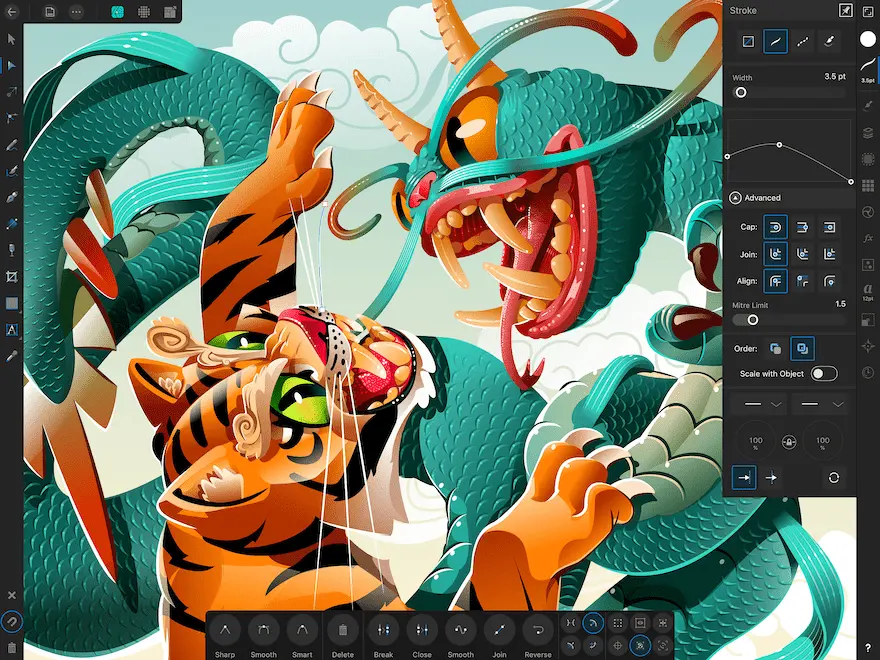
Another common pitfall involves ignoring the "Stroke" and "Align" settings. Users often struggle with lines that appear blurry or misaligned because they did not enable "Align to Pixel Grid" when working on web graphics. Additionally, failing to convert text to curves before sending files to a printer can lead to missing font errors. Always check your document settings before finalizing a project to ensure that your bleed, margins, and color profiles match the requirements of your output medium.
Who should use Affinity Designer?
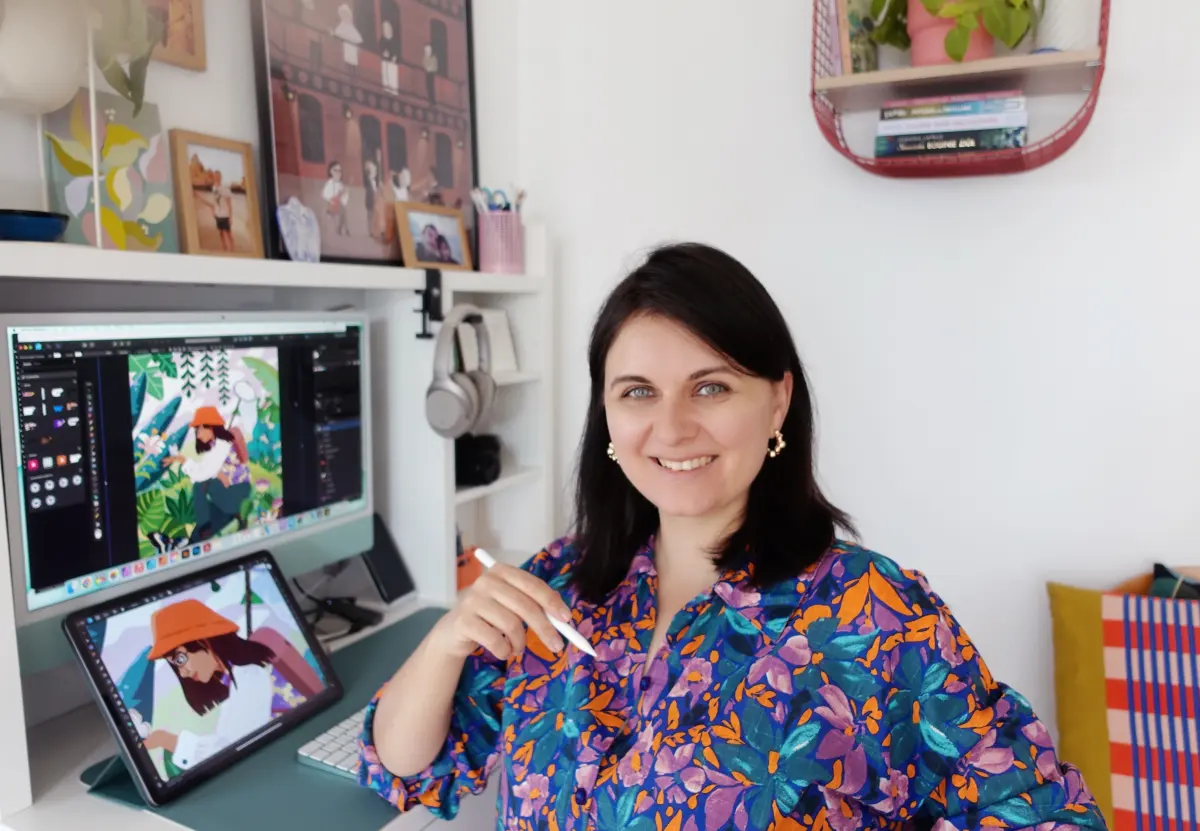
This software is an excellent fit for anyone who needs a powerful, reliable tool for graphic design without the burden of a subscription. It is particularly well-suited for independent illustrators who need to blend vector precision with raster textures. Because the iPad version shares the same file format as the desktop version, it is also a top choice for professionals who need to work on the go and finish projects on their primary workstation.
While it is a professional tool, its approachable interface makes it accessible for hobbyists who want to learn design fundamentals. Whether you are creating custom merchandise, designing a website interface, or illustrating a digital book, the software provides a comprehensive set of features that can handle almost any creative task. By investing time in mastering its unique shortcuts and persona-based workflow, users can achieve high-end results that rival those produced by much more expensive design industry software suites.
Key facts
- Affinity Designer is professional vector graphics software developed by Serif, first released for macOS in October 2014.
- The software operates on a one-time purchase model, requiring no ongoing subscription fees for users.
- It features a unique "Persona" system that allows users to switch between vector and raster workspaces within a single file.
- The application supports non-destructive editing, meaning you can adjust effects and adjustments without permanently altering the original image data.
- It is compatible with major industry file formats, including Adobe Illustrator (AI), Photoshop (PSD), PDF, SVG, and EPS.
- Users can work on multiple platforms, as the software is available for macOS, Windows, and iPadOS.
The bottom line
Affinity Designer is a robust, one-time-purchase graphic design tool that bridges the gap between vector illustration and raster image editing. By offering a high-performance workspace that integrates seamlessly with industry-standard file formats, it provides a cost-effective solution for illustrators, web designers, and print professionals. Its cross-platform compatibility and non-destructive workflow make it an essential asset for anyone seeking a modern, efficient alternative to traditional design software.
People also ask
Is Affinity Designer a good replacement for Adobe Illustrator?
Many professionals use Affinity Designer as a viable alternative because it handles complex vector paths and typography with similar precision. While it lacks some legacy features found in Illustrator, it offers a faster, more modern codebase that often performs better on current hardware.
Can I open my old Adobe Illustrator files in Affinity Designer?
Yes, the software is designed to import .ai files that have been saved with PDF compatibility enabled. While most shapes and layers will transfer correctly, complex effects or proprietary Adobe features may require minor manual adjustments after importing.
Does Affinity Designer work on mobile devices?
Serif offers a fully featured version of the application for iPad, which includes the same engine as the desktop version. It is optimized for touch input and Apple Pencil, allowing for professional-grade design work while on the go.
Is there a steep learning curve for beginners?
The interface is intuitive, but mastering the "Personas" and the node-based editing system takes practice. Beginners should start by exploring the built-in tutorials and focusing on the Pen Tool, which is the foundation of all vector work.
What is a common mistake when starting a new project?
A frequent error is failing to set the correct color profile, such as choosing RGB for a project intended for professional print. Always verify your document settings, including DPI and color space, before beginning your design to avoid quality issues later.
Does the software support CMYK color modes?
Yes, Affinity Designer provides full support for CMYK, LAB, and Grayscale color spaces. This makes it suitable for professional print production, allowing designers to manage color accuracy for physical media.
This answer was created with the help of AI research tools and reference sources. Spotted an error? Let us know — we correct mistakes quickly. See our editorial policy.