What is the best drawing software for PC?
Short answer
There is no single "best" software, as the ideal choice depends on your specific goals and budget. Adobe Photoshop remains the industry standard for professional illustration, while Clip Studio Paint excels at comics and manga. For those seeking free options, Krita offers a robust, professional-grade feature set for digital painting.
On this page
Best drawing software for beginners
If you are new to digital art, you should prioritize software with an intuitive interface and a shallow learning curve. Many beginners start with Krita because it is free, open-source, and provides a comprehensive set of brushes that mimic traditional media. Its layout is highly customizable, allowing you to hide advanced tools until you are ready to use them. Another excellent entry point is Paint Tool SAI, which is lightweight and famous for its incredibly smooth stabilizer settings, making it easier to draw clean lines with a shaky hand.
When choosing your first program, consider the following factors to ensure a smooth transition from traditional to digital media:
- Hardware compatibility: Ensure the software supports your specific graphics tablet or pen display.
- Community support: Choose programs with active forums or YouTube tutorials to help you troubleshoot.
- File format flexibility: Look for software that exports to common formats like PSD, PNG, or JPEG for easy sharing.
Avoid overcomplicating your workflow by downloading too many programs at once; pick one and master its basic brush engine before moving on to complex features.
How to choose software for professional illustration
Professional illustrators typically require software that handles large, high-resolution files without crashing. Adobe Photoshop is the global standard, favored for its industry-leading layer management, blending modes, and vast library of third-party plugins. However, it requires a monthly subscription, which may not suit every freelancer. Alternatively, Clip Studio Paint is highly regarded for its specialized tools for line art, perspective rulers, and vector layers, which are essential for comic book artists and character designers who need precision.
When transitioning to a professional workflow, keep these technical requirements in mind:
- Check your system's RAM; complex illustrations with hundreds of layers require at least 16GB of memory.
- Evaluate the software's brush engine for pressure sensitivity and tilt support.
- Test the export settings to ensure the software maintains color accuracy for print and web.
A common mistake is ignoring the importance of color profiles; always set your workspace to sRGB for web work or CMYK for professional printing to avoid unexpected color shifts in your final output.
Why professional artists use vector versus raster tools
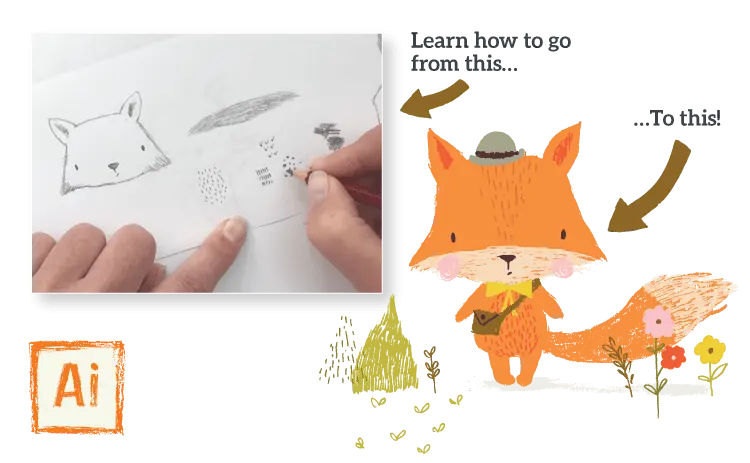
Understanding the difference between raster and vector software is vital for your artistic growth. Raster programs like Photoshop and Krita work with pixels, which are ideal for painterly effects, blending colors, and detailed textures. If you zoom in too far on a raster image, it will eventually appear pixelated or blurry. Vector software, such as Adobe Illustrator, uses mathematical equations to define lines and shapes. This allows you to scale your artwork to any size, from a business card to a billboard, without losing any quality.
Many modern artists use a hybrid approach to maximize their efficiency:
- Use vector tools for clean line art and logos that require scalability.
- Switch to raster brushes for adding lighting, shadows, and organic textures.
- Utilize layer masks in both environments to keep your non-destructive editing workflow intact.
Avoid the mistake of trying to paint complex, painterly portraits entirely in vector software, as the lack of pixel-based blending can make your work look sterile and rigid.
Common mistakes when setting up your drawing software
Setting up your software incorrectly can lead to frustration and physical discomfort. One of the most frequent errors is failing to calibrate your tablet pressure settings within the software’s preferences. If your pen feels too sensitive or requires too much force, you will experience hand fatigue quickly. Additionally, many beginners neglect to organize their workspace, leaving toolbars scattered across the screen. This clutter reduces your drawing area and forces you to spend more time navigating menus than actually creating art.
To optimize your digital workspace, follow these practical steps:
- Map your tablet's express keys to your most frequently used shortcuts, like undo, zoom, and brush size.
- Set up a custom workspace layout that keeps your color palette and layer stack within easy reach.
- Regularly back up your custom brush settings and workspace configurations to an external drive.
Do not ignore the "stabilization" or "smoothing" settings in your brush menu, as these are essential for achieving professional-looking, fluid line work regardless of your current skill level.
How to transition between different drawing programs
Switching software can feel daunting, but most drawing applications share a core set of fundamental features. Almost every professional program uses a layer-based system, blending modes, and a standard brush library. If you have spent years in Photoshop, moving to Clip Studio Paint or Krita will feel familiar once you locate the equivalent menus. The biggest hurdle is usually learning custom keyboard shortcuts, which can be remapped in most programs to match your muscle memory from previous software.
When you decide to switch, follow this strategy to minimize downtime:
- Export your custom brushes as ABR files if the new software supports them.
- Spend one week recreating a simple piece of art using only the new program's tools.
- Consult the software's official manual to understand its unique "killer feature," such as a specific animation tool or perspective grid.
The most common mistake is trying to replicate your old workflow exactly; instead, embrace the unique strengths of your new software to discover new techniques that were not possible in your previous application.
Key facts
- Adobe Photoshop remains the industry standard for professional digital painting and image manipulation.
- Clip Studio Paint is widely considered the best software specifically for manga, comics, and line art.
- Krita is a powerful, open-source application that is completely free to download and use.
- Corel Painter offers the most realistic digital simulations of traditional media like oil, watercolor, and charcoal.
- A pressure-sensitive graphics tablet, such as those from Wacom or Huion, is essential for professional-grade drawing.
- Most professional software requires a subscription model, while programs like Krita or Paint Tool SAI offer one-time purchase or free options.
The bottom line
Choosing the best drawing software depends on your specific artistic goals. If you prioritize industry standards and photo editing, Adobe Photoshop is the top choice. For comic creators, Clip Studio Paint is unmatched, while those on a budget should prioritize Krita. Regardless of your pick, invest in a quality graphics tablet and focus on learning layer management to significantly improve your workflow and artistic output.
People also ask
Do I need a drawing tablet to use digital art software?
While you can use a mouse, it lacks the pressure sensitivity required for natural line work and shading. A graphics tablet allows you to control line thickness and opacity based on how hard you press your pen.
What is the difference between vector and raster software?
Raster programs like Photoshop use pixels, making them ideal for painting and detailed textures. Vector programs like Adobe Illustrator use mathematical paths, allowing you to scale images infinitely without losing quality.
Is it difficult to learn digital drawing software?
The learning curve depends on the complexity of the tools, but most programs share common features like layers and brushes. Beginners should start by mastering basic layers and selection tools before attempting complex digital painting techniques.
Can I use free software for professional work?
Yes, many professional artists use free, open-source software like Krita for high-level production. The quality of the final artwork depends more on the artist's skill than the price tag of the software.
How do I choose between a subscription and a one-time purchase?
Subscriptions often provide constant updates and cloud storage but require ongoing payments. One-time purchases are more cost-effective long-term but may eventually require a paid upgrade to access newer versions.
What is the most common mistake for beginners?
The most frequent error is drawing everything on a single layer, which makes editing specific parts of an image impossible. Always separate your sketch, line art, and colors onto different layers to maintain flexibility.
This answer was created with the help of AI research tools and reference sources. Spotted an error? Let us know — we correct mistakes quickly. See our editorial policy.