What is the difference between Procreate and Photoshop?
Short answer
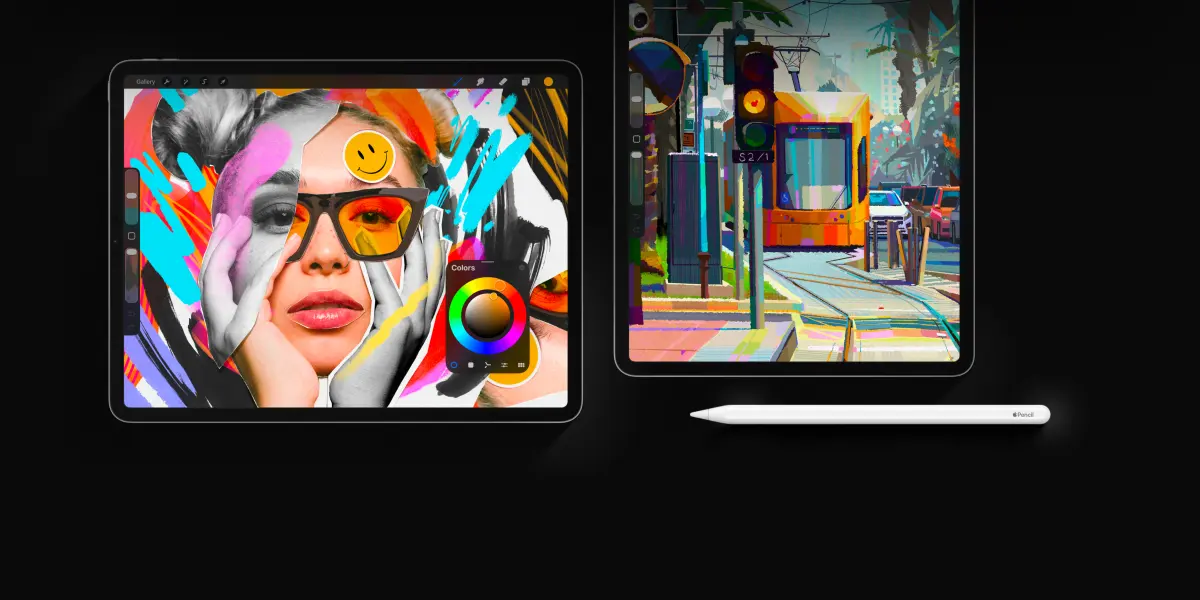
Procreate is a specialized, touch-based illustration app designed exclusively for the iPad, prioritizing intuitive, mobile-first digital painting. Adobe Photoshop is a comprehensive, industry-standard desktop software suite built for complex photo editing, graphic design, and professional print production. While Procreate excels at portability and fluid sketching, Photoshop offers unmatched power for multi-layered, high-resolution professional projects.
On this page
What are the core differences between Procreate and Photoshop?
Procreate, developed by Savage Interactive in 2011, is built specifically for the Apple Pencil and iPad interface. It focuses on a streamlined, gesture-based workflow that mimics traditional art mediums like charcoal, oil, and watercolor. The software is a one-time purchase, making it highly accessible for hobbyists and freelance illustrators who value a distraction-free canvas. Its architecture is optimized for tablet hardware, ensuring minimal lag during complex brush strokes.
Adobe Photoshop, first released in 1990, remains the global standard for professional image manipulation and complex design workflows. Unlike Procreate, it operates on a subscription-based model through Adobe Creative Cloud and is designed primarily for desktop environments. Photoshop offers advanced features like non-destructive adjustment layers, smart objects, and robust typography tools that are essential for commercial print and web design. While it can be used for painting, its primary strength lies in its ability to handle massive files with hundreds of layers and precise color management.
How to choose the right software for your project?
Selecting the right tool depends entirely on your intended output and your preferred hardware. If your goal is to create digital illustrations, concept art, or hand-lettering while on the move, Procreate is the superior choice. Its interface is designed to keep the focus on the canvas, allowing you to hide menus with simple gestures. It is ideal for artists who want to bridge the gap between traditional sketching and digital convenience.
Photoshop is the necessary choice if you are working in professional design, photography, or high-end retouching. If your workflow requires the following, you should choose Photoshop:
- Precise CMYK color profiles for professional offset printing.
- Advanced text formatting and complex layout design for multi-page documents.
- Integration with other professional software like Illustrator, InDesign, or After Effects.
- Extensive batch processing and automation scripts for managing thousands of images.
- Access to professional-grade hardware like high-resolution monitors and specialized drawing tablets.
What are the common mistakes when switching between them?
One common mistake is assuming that Procreate files can be perfectly translated into Photoshop without preparation. Because Procreate uses a proprietary file format, exporting to PSD (Photoshop Document) can sometimes result in flattened layers or missing blending modes if the software versions are incompatible. Always check your layer settings and export as a PSD if you plan to move your work to a desktop for final refinements.
Another frequent error is relying too heavily on Procreate’s limited canvas size. Procreate restricts the number of layers based on the iPad's available RAM and the resolution of your canvas. If you attempt to create a massive print project with hundreds of layers, you will quickly hit a "layer limit" barrier. To avoid this, follow these best practices:
- Determine your final print dimensions and resolution (at least 300 DPI) before starting.
- Use layer groups to organize your work and save memory.
- Merge finished layers periodically to free up system resources.
- Export your work as a TIFF or PSD file to maintain high-quality data.
How long does it take to learn these programs?
Learning Procreate is generally faster because the interface is intentionally minimalist. Most users can master the basic gesture controls and brush engine within a few days of consistent practice. The learning curve is shallow, as there are fewer menus and sub-menus to navigate. You can start creating professional-looking illustrations almost immediately by utilizing the built-in tutorials and the simple, intuitive layer panel.
Photoshop has a significantly steeper learning curve due to its vast array of tools and deep menu structures. It can take months or even years to fully understand features like masking, channels, paths, and color grading. Because it is a general-purpose tool rather than a specialized painting app, you must learn how to configure the workspace to suit your specific needs. Beginners often feel overwhelmed by the sheer number of panels, but focusing on one toolset at a time—such as selection tools or adjustment layers—will make the process manageable.
Which software is better for professional workflows?
In a professional production environment, Photoshop is almost always the required standard. It provides the stability and compatibility needed for collaborative teams, allowing multiple designers to work on the same asset using standardized formats. Its ability to handle large-scale files and integrate seamlessly with the rest of the Adobe ecosystem makes it indispensable for agencies, marketing firms, and publishing houses.
Procreate is increasingly used by professionals, but it often serves as a "concepting" tool rather than a final production tool. Many illustrators start their sketches in Procreate for the tactile feel, then move the file to Photoshop for final color correction, typography, and file preparation. By combining the speed of the iPad with the technical power of the desktop, artists can maximize their efficiency. Ultimately, the best workflow is one that utilizes the strengths of both platforms to achieve high-quality results without compromising on creative vision or technical requirements.
Key facts
- Procreate is exclusive to iPadOS, while Adobe Photoshop runs on macOS, Windows, and iPadOS.
- Photoshop operates on a monthly subscription model, whereas Procreate requires a one-time purchase fee.
- Procreate is designed primarily for digital illustration and painting with a focus on touch and stylus input.
- Photoshop is the industry standard for photo editing, complex graphic design, and multi-layered print production.
- Photoshop supports non-destructive editing through adjustment layers and smart objects, which are more limited in Procreate.
- Procreate offers a simplified, gesture-based interface, while Photoshop features a complex workspace with extensive toolbars and panels.
The bottom line
Choosing between these tools depends on your specific creative goals. If you prioritize digital painting, sketching, and portability on an iPad, Procreate offers an unmatched, fluid user experience. However, if your work involves professional photo manipulation, print design, or complex multi-layered workflows, Photoshop remains the essential industry standard. Most professionals eventually utilize both programs to leverage the unique strengths of each platform in their creative process.
People also ask
Can I use Procreate files in Photoshop?
Yes, Procreate allows you to export your work as a .PSD file. This format preserves your layers, making it easy to finish or edit your artwork inside Photoshop.
Which software is better for professional photo retouching?
Photoshop is significantly better for photo retouching. It provides advanced tools like frequency separation, content-aware fill, and precise color grading that are not available in Procreate.
Does Procreate support vector graphics?
Procreate is a raster-based program and does not support native vector editing. If you need to create scalable logos or typography, Adobe Illustrator is the preferred industry tool.
Is it difficult to learn Photoshop if I am used to Procreate?
The transition can be challenging because Photoshop has a much steeper learning curve. You will need to learn how to manage complex menus, workspaces, and non-destructive workflows that do not exist in Procreate.
Can I use Photoshop without an internet connection?
You can work offline in Photoshop, but you must connect to the internet periodically to verify your subscription status. Procreate does not require any internet connection to function once installed.
Which app is better for beginners?
Procreate is generally more accessible for beginners due to its intuitive interface and tactile stylus controls. It allows users to start drawing immediately without needing to navigate complex software settings.
This answer was created with the help of AI research tools and reference sources. Spotted an error? Let us know — we correct mistakes quickly. See our editorial policy.