What is the difference between 2D and 3D animation?
Short answer
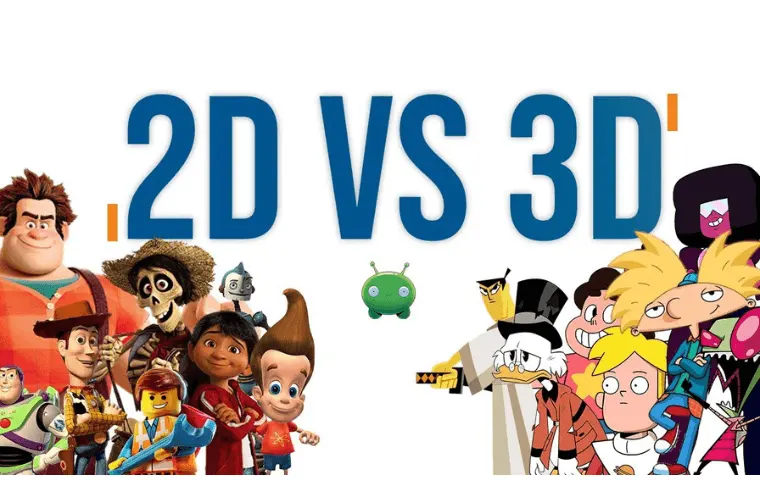
2D animation involves creating movement in a two-dimensional space using flat drawings, while 3D animation utilizes three-dimensional digital models that exist within a virtual environment. The primary difference lies in the production process: 2D relies on frame-by-frame illustration, whereas 3D focuses on rigging, lighting, and rendering complex geometric meshes.
On this page
How does 2D animation work?
2D animation, or traditional animation, is the art of creating movement in a two-dimensional space. Artists draw individual frames that, when played in rapid succession, create the illusion of motion. Historically, this was achieved using hand-drawn cels on transparent sheets, a technique famously utilized by Walt Disney in early classics like Snow White and the Seven Dwarfs (1937). Today, most 2D animation is produced digitally, allowing artists to use vector-based software to manipulate shapes and lines more efficiently than traditional paper-and-pencil methods.
The core of 2D animation is the principle of "squash and stretch," which gives objects a sense of weight and flexibility. Animators must carefully manage the timing and spacing of their drawings to ensure the movement feels fluid rather than jittery. Because every frame is essentially a new drawing, the process requires immense artistic skill and attention to detail. Whether it is a simple character walk cycle or a complex action sequence, the animator is responsible for every visual element within the frame.
How does 3D animation work?
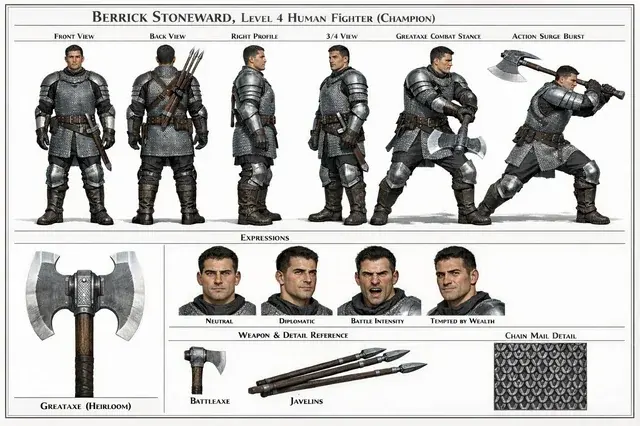
3D animation involves building digital models that exist in a three-dimensional coordinate system. Instead of drawing every frame, an animator creates a "rig"—a digital skeleton—inside a 3D model. By moving the joints of this rig, the animator can pose the character, and the software calculates the transition between these poses. This process, known as keyframing, allows for smoother motion and more complex camera movements than traditional 2D techniques. Once the movement is set, the computer "renders" the scene, calculating light, shadow, and texture to produce the final image.
The production of 3D animation is highly technical and often involves specialized departments. A typical workflow includes:
- Modeling: Creating the geometry of characters and environments.
- Texturing: Applying colors and surface details to the models.
- Rigging: Adding the internal skeleton to allow for movement.
- Animation: Setting keyframes to define character actions.
- Lighting and Rendering: Finalizing the visual appearance and exporting the frames.
What are the technical differences?
The most significant technical distinction between the two formats is the depth of information. A 2D asset is essentially a flat image, meaning if you rotate a character, the artist must redraw it from the new perspective. In contrast, a 3D model is a complete volume; once it is built, it can be viewed from any angle. This makes 3D animation particularly well-suited for environments that require complex camera pans, as the computer maintains spatial consistency automatically.
However, 2D animation offers a unique aesthetic quality that is difficult to replicate in 3D. Because 2D relies on the artist's specific line work and style, it often feels more expressive or "painterly." 3D animation, while capable of great realism, can sometimes suffer from the "uncanny valley" effect if the character models or movements are not perfectly executed. Choosing between the two often comes down to the desired visual style and the specific needs of the narrative.

Common mistakes when starting animation
Beginners often struggle with the technical complexity of animation software, leading to poor results. One common mistake is neglecting the "principles of animation," such as anticipation and follow-through, which are essential regardless of the medium. Another frequent error is attempting to animate too many frames at once, which leads to messy, inconsistent movement. It is always better to start with a simple bouncing ball exercise to understand timing before moving on to complex character acting.
To avoid these pitfalls, follow these practical guidelines:
- Focus on mastering the timing of movement before adding complex details.
- Use reference footage of yourself or others performing the action you want to animate.
- Keep your character rigs simple until you are comfortable with the software interface.
- Do not ignore the importance of lighting, as it defines the mood of your scene.
- Save your work frequently to prevent data loss during long rendering processes.
Which format is best for beginners?
For those just starting, 2D animation is generally more accessible because it requires less technical knowledge of geometry and rigging. You can begin with simple software or even paper and a light table to understand the basics of timing and motion. Many beginners find that 2D provides an immediate connection between their hand movements and the final output, which is highly rewarding. As you progress, you can explore digital tools that simplify the drawing process, such as onion-skinning, which allows you to see previous frames as a guide for your next drawing.
3D animation, while more complex, offers a different set of advantages for beginners interested in technical problem-solving. Many free, professional-grade 3D packages exist, allowing students to learn industry-standard workflows without a high financial barrier. If you prefer working with logic, structure, and spatial relationships, 3D might feel more intuitive than the artistic demands of 2D. Ultimately, the best way to choose is to experiment with both and see which process aligns better with your creative goals and personal patience for technical learning.
Key facts
- 2D animation involves creating movement in a two-dimensional space, relying on width and height.
- 3D animation utilizes software to create models in a three-dimensional environment, adding depth to the visual plane.
- Traditional 2D animation, such as early Disney films like Snow White (1937), requires drawing each frame by hand.
- 3D animation, popularized by Pixar’s Toy Story (1995), involves rigging a digital model with a skeletal structure to manipulate movement.
- A common mistake in 2D is inconsistent character proportions, while 3D artists often fail to achieve fluid, natural weight in character motion.
- Modern workflows often combine techniques, using 3D backgrounds for 2D character performances to maximize efficiency and depth.
The bottom line
The primary difference lies in the spatial dimension and production workflow. 2D animation focuses on flat, hand-drawn or digital imagery, emphasizing artistic line work and expressive timing. Conversely, 3D animation builds virtual environments where objects possess volume, requiring technical mastery of modeling and physics. Choosing between them depends on the desired aesthetic and the specific needs of the project, as both mediums offer unique storytelling capabilities.
People also ask
Is 3D animation always better than 2D animation?
No, the choice depends on the artistic vision. 2D often provides a stylized, illustrative aesthetic, while 3D excels at realistic lighting, complex camera movements, and consistent character volume across different angles.
How long does it take to learn 3D animation compared to 2D?
Both require years of practice, but 3D animation has a steeper technical learning curve due to complex software interfaces. 2D animation requires a stronger foundation in traditional drawing skills and anatomy.
Can a beginner start animating without expensive software?
Yes, many free tools exist for both styles. Beginners can use programs like Krita or Pencil2D for 2D projects, while Blender is a powerful, free professional-grade suite for 3D modeling and animation.
What is the "frame rate" in animation?
Frame rate refers to how many still images appear per second. Most professional animation uses 24 frames per second to create the illusion of smooth, continuous motion.
What is "rigging" in 3D animation?
Rigging is the process of creating a digital skeleton for a 3D model. This skeleton allows animators to move the character's limbs and facial features without redrawing the entire model for every frame.
Does 2D animation still use paper?
While some artists prefer traditional paper and pencil, most professional 2D animation is now produced digitally using tablets. This allows for faster editing and the use of layers to separate backgrounds from moving characters.
This answer was created with the help of AI research tools and reference sources. Spotted an error? Let us know — we correct mistakes quickly. See our editorial policy.