What is white balance?
Short answer
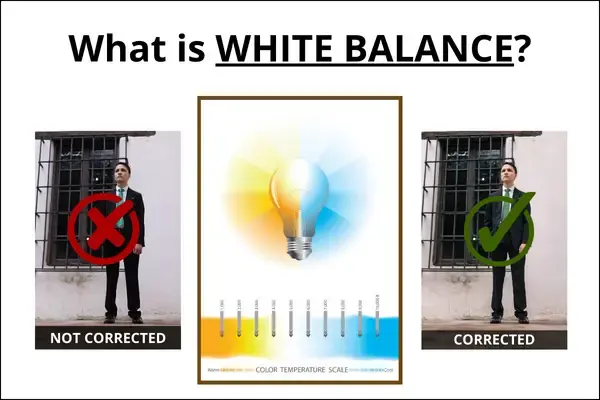
White balance is a camera setting that adjusts colors to ensure white objects appear neutral, rather than tinted by the light source. It compensates for the specific color temperature of ambient light, preventing images from looking unnaturally orange in warm indoor light or overly blue in cool, shaded outdoor environments.
On this page
Why color temperature affects photos
Light sources emit light at different "temperatures," measured in Kelvins (K). A candle flame is warm and orange, around 1,900K, while a clear blue sky is cool and blue, often exceeding 10,000K. The human brain automatically compensates for these shifts, allowing us to perceive a white piece of paper as white regardless of the lighting. Digital cameras, however, lack this innate ability and require white balance settings to interpret the color spectrum accurately.
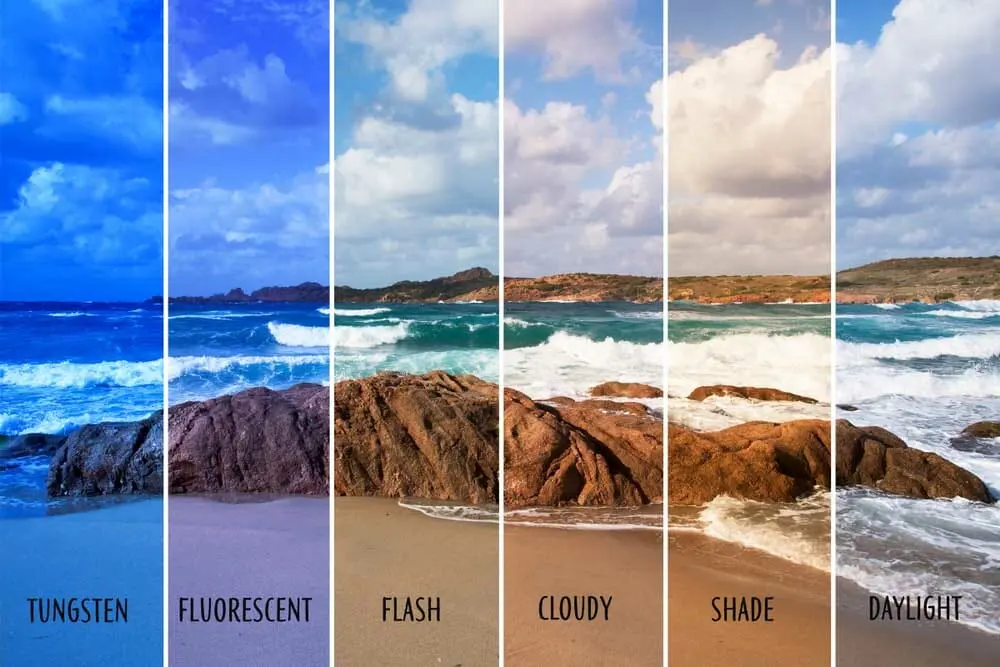
When a camera fails to adjust for these variations, the entire image takes on a color cast. For instance, shooting under standard incandescent light bulbs without adjustment will result in a heavy yellow or orange tint. Conversely, shooting in deep shade often produces a cold, blueish hue. Understanding that light is rarely "pure" white is the first step in mastering color accuracy in photography.
How to use white balance settings
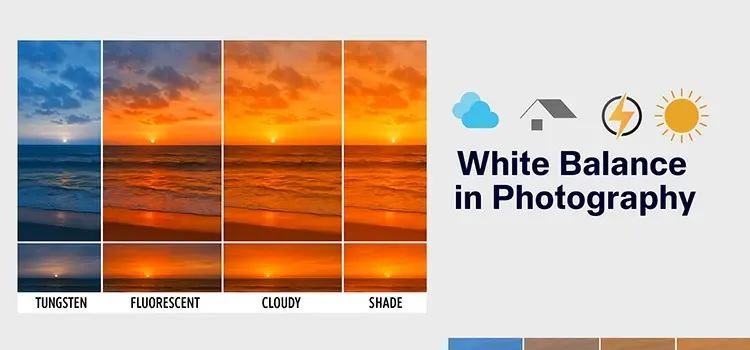
Most modern cameras offer a variety of presets designed to handle common lighting scenarios. These settings tell the camera how to shift its internal color processing to neutralize the ambient light. By selecting the icon that matches your environment, you can achieve a more natural look directly in-camera.
- Auto White Balance (AWB): The camera guesses the setting based on the scene.
- Daylight: Optimized for direct sun, usually around 5,200K.
- Cloudy/Shade: Warmer settings to counteract the blue tint of indirect light.
- Tungsten/Incandescent: Cools down the image to remove orange indoor light.
- Fluorescent: Adds magenta to offset the green cast of office lighting.
While AWB is convenient for snapshots, manual selection provides greater consistency. If you are shooting a series of photos in the same room, choosing a specific preset ensures that every image shares the exact same color balance, which significantly simplifies the editing process later.
When to shoot in RAW format
Professional photographers often prefer shooting in RAW format rather than JPEG. A RAW file captures the raw sensor data without applying permanent white balance adjustments. This means that if your white balance is slightly "off" at the time of capture, you can change it entirely during post-processing without losing image quality.
This flexibility is invaluable in mixed-lighting conditions, such as a room with both window light and lamps. Because you can adjust the color temperature slider in software like Adobe Lightroom or Capture One, you are not locked into the camera's initial decision. If you choose to shoot in RAW, the white balance setting you select in the field becomes merely a reference point, allowing you to fine-tune the artistic mood of the photograph long after the shoot is finished.
Common mistakes when setting white balance
One of the most frequent errors is forgetting to change the white balance setting after moving from one environment to another. For example, leaving a camera on "Tungsten" mode while stepping outside into bright sunlight will result in images that are aggressively blue. This mistake is often difficult to fix perfectly if you are shooting in JPEG, as the color information has already been compressed and baked into the file.
Another common mistake is relying solely on the camera's LCD screen to judge color. Screens can be misleading due to brightness settings or ambient light reflecting off the glass. To avoid these issues, follow these best practices:
- Check your camera's histogram or color balance indicators rather than trusting your eyes.
- Use a gray card for critical studio work to establish a precise neutral reference.
- Avoid mixing light sources of different temperatures, as it makes balancing for one color impossible without affecting the other.
How to achieve creative color effects
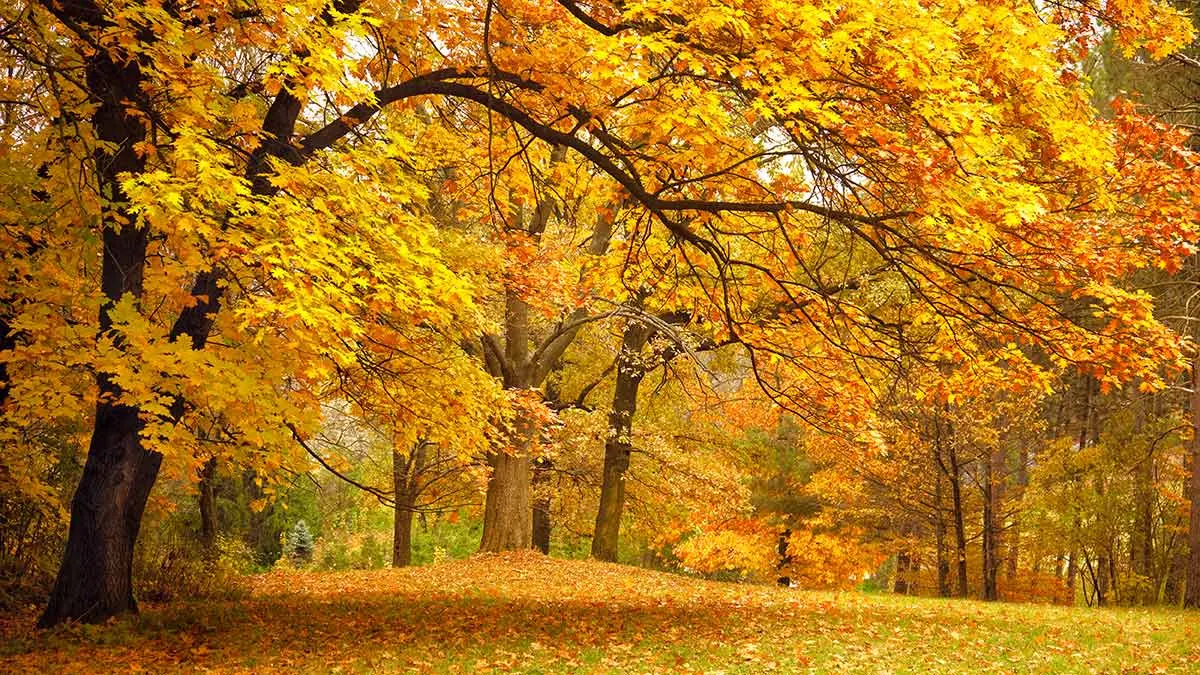
White balance is not just a tool for correction; it is also a powerful creative instrument. You do not always have to aim for perfect neutrality. By intentionally choosing the "wrong" setting, you can alter the emotional tone of your photographs. For example, using the "Shade" setting on a sunny day will add a warm, golden glow to your images, mimicking the aesthetic of a late-afternoon sunset.
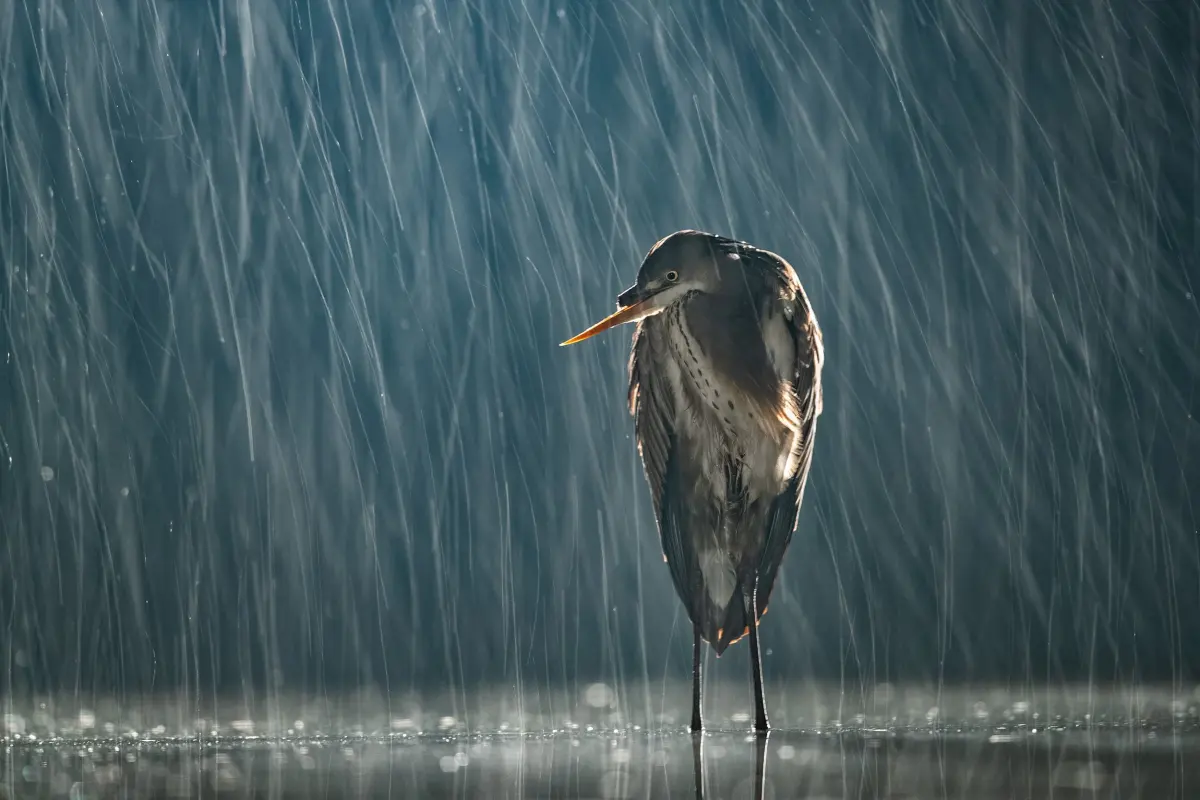
Conversely, using "Tungsten" mode during a night shoot can enhance the cool, moody blues of a city street, emphasizing a sense of isolation or urban chill. Experimenting with these settings allows you to manipulate the atmosphere of your work. As long as you understand the underlying principles of color temperature, you can use white balance to tell a specific visual story rather than simply documenting the scene as it appears to the naked eye.
Key facts
- White balance is the process of removing unrealistic color casts so that objects which appear white in person are rendered white in your photos.
- Light sources have different color temperatures measured in Kelvins (K), ranging from cool blue light (high K) to warm orange light (low K).
- Digital cameras use an Auto White Balance (AWB) setting that constantly analyzes the scene to estimate the light color and adjust accordingly.
- Shooting in RAW format allows you to adjust the white balance during post-processing without losing any image quality or detail.
- You can manually set white balance using presets like "Daylight," "Cloudy," "Shade," "Tungsten," or "Fluorescent" to match your specific environment.
- A common mistake is leaving the camera on "Auto" when shooting under mixed lighting, which can cause the camera to struggle and produce inconsistent colors.
The bottom line
White balance is a fundamental control that ensures colors in your photographs appear natural and accurate under diverse lighting conditions. By understanding color temperature and utilizing manual settings or RAW editing, you gain creative control over the mood and fidelity of your images. Mastering this tool prevents unwanted color casts, allowing you to capture scenes exactly as your eyes perceive them in real life.
People also ask
Why do my indoor photos look orange?
This occurs because indoor tungsten bulbs have a low color temperature, which the camera interprets as a warm, orange hue. Selecting the "Tungsten" or "Incandescent" preset tells the camera to add blue tones to neutralize this effect.
What is a gray card and how do I use it?
A gray card is a neutral target used to achieve perfect color accuracy. You place the card in your scene, take a test shot, and use your editing software's eyedropper tool to click on the card, setting the correct white balance for the entire session.
Does white balance affect the exposure of my photo?
No, white balance only changes the color temperature and tint of the image. Exposure is controlled by your shutter speed, aperture, and ISO settings, which determine the brightness of the shot.
Can I fix white balance if I shoot in JPEG?
Yes, you can adjust it in editing software, but it is less effective than with RAW files. Because JPEG images have already been processed and compressed by the camera, heavy adjustments may cause color banding or artifacts.
What is the Kelvin scale in photography?
The Kelvin scale measures the color temperature of light. Lower numbers (around 2000K-3000K) represent warm, yellow-orange light, while higher numbers (above 5000K) represent cool, blue light.
Why do pictures taken in the shade look blue?
Natural light in the shade is filtered through the blue sky, resulting in a higher color temperature. Using the "Shade" white balance setting adds warmth to the image to counteract this cool, bluish tint.
This answer was created with the help of AI research tools and reference sources. Spotted an error? Let us know — we correct mistakes quickly. See our editorial policy.