What is Blender used for?
Short answer
Blender is a free, open-source 3D creation suite that supports the entire pipeline, including modeling, rigging, animation, simulation, rendering, compositing, and motion tracking. It is widely used by independent artists, small studios, and hobbyists for developing video games, animated films, visual effects, architectural visualizations, and 3D-printed prototypes across multiple industries.

On this page
What is Blender used for in professional pipelines?
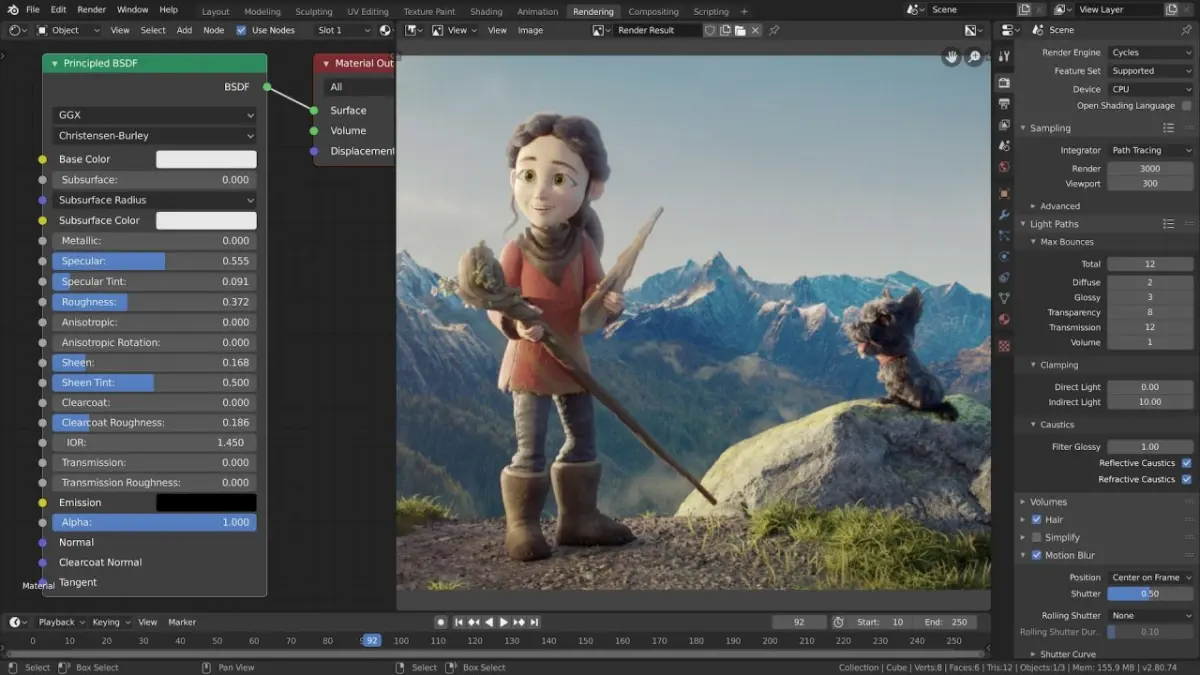
Blender serves as a comprehensive toolset for digital content creation, functioning as an all-in-one alternative to expensive, proprietary software packages. Professionals utilize its robust toolset to construct complex 3D environments, design characters for games, and produce high-quality cinematic animations. Because it is open-source, studios can customize the software’s source code to integrate it into proprietary production pipelines, making it highly flexible for unique project requirements.
The software is particularly effective for small to medium-sized production teams that require a high degree of versatility without the overhead of licensing fees. It handles the entire workflow from initial concept sculpting to final post-production compositing. By keeping all stages of development within a single interface, artists reduce the time spent exporting and importing assets between disparate programs, which minimizes data loss and streamlines the iterative design process.
How do beginners start learning Blender?
Learning Blender requires patience because the interface is dense and packed with thousands of functions. Beginners should focus on mastering the "viewport" navigation and basic object manipulation before attempting complex sculpting or animation. A common and effective starting point is the "donut tutorial" series, which guides users through the essential steps of modeling, texturing, and rendering a simple object.
- Download the latest stable version from the official website to ensure compatibility.
- Learn the keyboard shortcuts for grab (G), rotate (R), and scale (S) immediately.
- Practice creating primitive shapes like cubes, spheres, and cylinders to understand the coordinate system.
- Experiment with the "Modifier" stack to non-destructively change the geometry of your objects.
- Spend time in the "Shading" workspace to understand how light interacts with different material properties.
Avoid the temptation to start with high-fidelity character modeling, as this often leads to frustration due to the complexity of rigging and topology requirements. Instead, build a solid foundation by completing small, manageable projects that teach you one specific tool at a time.
Which industries use Blender the most?
Blender has gained significant traction in several creative sectors, most notably in independent game development and architectural visualization. Architects use the software to convert 2D blueprints into immersive 3D walkthroughs, allowing clients to experience a space before construction begins. In the gaming industry, developers use Blender to create "low-poly" assets that are optimized for real-time engines, ensuring smooth performance on various hardware platforms.
- Architectural design and interior rendering.
- Indie video game asset creation and level design.
- Motion graphics for advertising and broadcast media.
- 3D printing for rapid prototyping and manufacturing.
- Scientific visualization for medical and educational research.
The software’s ability to handle complex simulations, such as fluid dynamics, smoke, and fire, also makes it a staple for visual effects artists working on independent films. Its versatility allows it to bridge the gap between technical engineering tasks and pure artistic expression, making it a critical asset for professionals who need to pivot between different types of creative output.
Common mistakes when using Blender
The most frequent error for new users is failing to apply "transforms" after moving, rotating, or scaling an object. When you modify an object in Object Mode, the software records these changes as a scale or rotation value, which can cause textures to stretch or modifiers to behave unexpectedly later in the project. Always press "Ctrl+A" to apply these transformations, resetting the object’s scale to 1.0 and rotation to zero before proceeding to complex operations.
Another common mistake is neglecting the importance of "topology," or the way the polygons are arranged on a mesh. Beginners often create "n-gons," which are polygons with more than four sides, leading to jagged shading and issues during animation. Maintaining a clean mesh made primarily of quads ensures that your models deform correctly when rigged. Furthermore, failing to save incremental versions of your file is a dangerous habit; always keep multiple backups to protect your progress against potential software crashes or accidental deletions.
How long does it take to master Blender?
Mastering Blender is a long-term commitment that can take several years of consistent practice. While you can learn the basics of modeling in a few weeks, becoming proficient in advanced areas like character rigging, node-based compositing, or geometry nodes requires a deep understanding of both artistic principles and technical logic. Most users find that they never truly "finish" learning, as the software receives major updates every few months that introduce entirely new workflows and capabilities.
To track your progress, set specific goals for each month, such as finishing an interior scene or creating a short 10-second animation. By focusing on tangible results, you can measure your growth and identify which areas of the software interest you most. Remember that even professional artists spend time looking up documentation or watching tutorials when they encounter new challenges. The key to mastery is not memorizing every button in the interface, but rather developing the problem-solving skills necessary to translate your creative vision into a functional digital file.
Key facts
- Blender is a free, open-source 3D creation suite released under the GNU General Public License.
- It supports the entire 3D pipeline, including modeling, rigging, animation, simulation, rendering, compositing, and motion tracking.
- The software was originally developed by Dutch animator Ton Roosendaal in 1994 and is now maintained by the Blender Foundation.
- It features two primary rendering engines: Cycles, a path-tracer for photorealistic results, and Eevee, a real-time engine for fast previews.
- Users can extend functionality through Python scripting and a vast library of community-created add-ons.
- A common mistake for beginners is ignoring the "Apply Scale" command (Ctrl+A), which can cause textures and modifiers to behave unpredictably.
The bottom line
Blender is a versatile, industry-standard tool that empowers artists to create high-quality 3D content without the cost of proprietary software. By mastering its core workflows—modeling, rigging, and rendering—users can produce everything from architectural visualizations to complex character animations. While the software requires time and practice to master, its robust community support and frequent updates make it an essential asset for any digital creator today.
People also ask
Is Blender difficult to learn for beginners?
Blender has a steep learning curve due to its extensive feature set and unique interface. However, thousands of free tutorials exist online that can guide a new user from basic shapes to complex animations within a few weeks.
Can Blender be used for professional film production?
Yes, Blender is used in professional studios for pre-visualization, visual effects, and full-length animated features. Notable films like "Next Gen" and various Netflix productions have utilized Blender in their production pipelines.
Do I need a powerful computer to run Blender?
While a high-end graphics card and ample RAM improve performance, Blender can run on modest hardware for simple modeling tasks. Complex rendering and physics simulations, however, require significant processing power to maintain efficiency.
What is the difference between modeling and sculpting in Blender?
Modeling involves manipulating vertices, edges, and faces to build precise geometric structures. Sculpting is a more organic process, similar to working with digital clay, used primarily for detailed character design and artistic forms.
Can I use Blender to edit video files?
Blender includes a built-in Video Sequence Editor that allows for basic cutting, splicing, and color grading. While it is not a dedicated non-linear editor like Premiere Pro, it is sufficient for simple video projects.
Is it possible to export Blender files to game engines like Unity or Unreal?
Blender supports industry-standard file formats such as FBX, glTF, and OBJ, making it highly compatible with game engines. These formats ensure that models, materials, and animations transfer smoothly into game development environments.
This answer was created with the help of AI research tools and reference sources. Spotted an error? Let us know — we correct mistakes quickly. See our editorial policy.