What is ZBrush used for?
Short answer
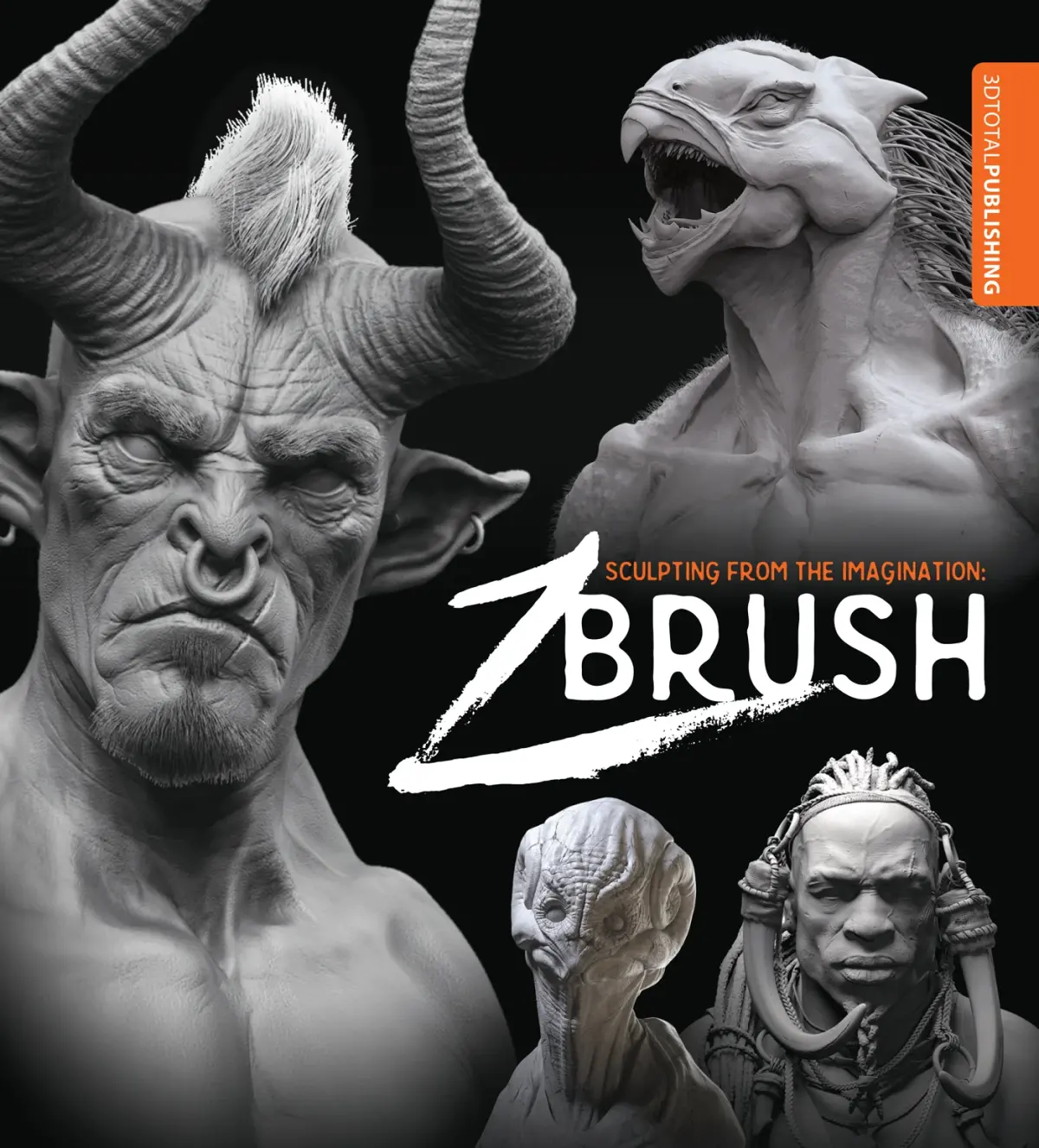
ZBrush is a professional digital sculpting software used to create high-resolution 3D models for film, games, and manufacturing. By mimicking traditional clay modeling, it allows artists to manipulate "digital clay" with millions of polygons. It is the industry standard for character design, creature creation, and intricate surface detailing in modern entertainment.
On this page
What is ZBrush used for in professional pipelines?
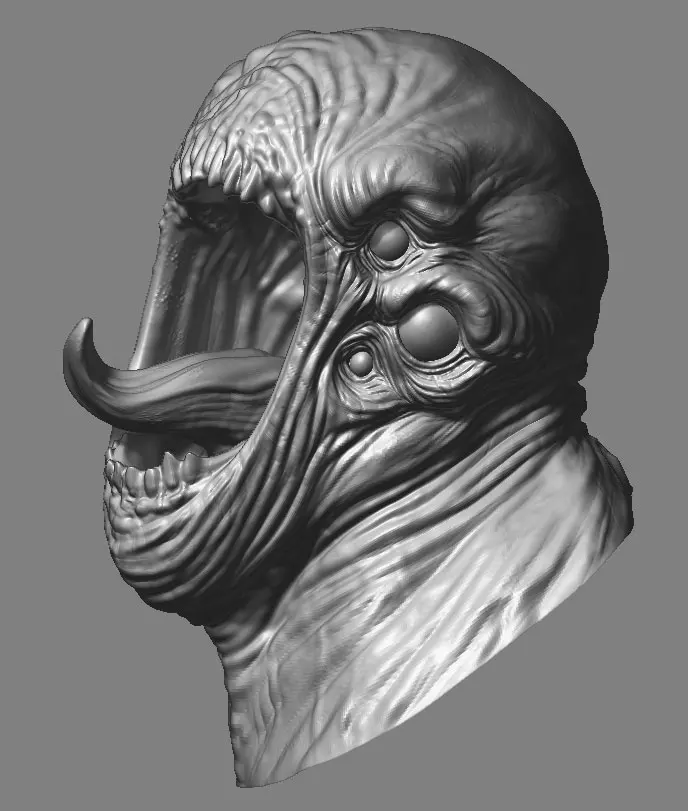
ZBrush serves as the primary tool for high-fidelity 3D modeling where extreme detail is required. Unlike traditional CAD software that relies on precise geometric measurements, ZBrush functions like a virtual workshop where artists push, pull, and smooth digital surfaces. This makes it the go-to solution for organic shapes, such as human anatomy, monstrous creatures, and complex fabric folds that would be nearly impossible to construct using standard polygon modeling techniques.
In the film and gaming industries, ZBrush is used to create "high-poly" meshes that contain millions of polygons. Once the sculptor achieves the desired level of detail, these models are often "baked" into lower-resolution versions for use in real-time engines. This process allows developers to retain the visual complexity of a detailed sculpture while ensuring the final asset remains performant for interactive media.
- Character modeling for blockbuster films.
- Sculpting organic creatures for video games.
- Designing high-detail collectibles and toys.
- Creating intricate jewelry and industrial prototypes.
How do beginners start learning ZBrush?
Starting with ZBrush can be intimidating due to its unique interface, which differs significantly from standard Windows or macOS applications. Beginners should focus on understanding the "Subdivision" workflow, which allows you to increase the mesh density as you add finer details. It is essential to master the basic navigation controls—rotate, zoom, and pan—before attempting to sculpt complex forms.
Most experts recommend starting with a simple sphere to practice the primary brushes. The "Clay Buildup" brush is perfect for adding volume, while the "DamStandard" brush is excellent for carving sharp lines or wrinkles. Do not worry about technical topology or retopology in your first week; focus entirely on the artistic flow of shaping forms.
- Install a pressure-sensitive graphics tablet, as a mouse is insufficient for sculpting.
- Initialize a "ZSpheres" rig to block out the basic proportions of your character.
- Use the "Dynamesh" feature to maintain a consistent mesh density while pulling out limbs.
- Practice smoothing your strokes to create clean transitions between different muscle groups.
Why does ZBrush perform differently than other 3D software?
ZBrush is built on a proprietary technology called "Pixol," which stores color, depth, and material information for every pixel on the screen. This allows the software to handle models with tens of millions of polygons without crashing, a feat that would overwhelm most traditional 3D programs. Because it does not rely solely on the graphics card for geometry, it provides a fluid, tactile experience that feels remarkably similar to working with real-world clay.
The software also utilizes a unique approach to symmetry and masking. By masking off specific areas of a model, artists can protect sections from deformation while sculpting nearby features. This level of control is why ZBrush remains the industry leader for artists who prioritize artistic expression over mathematical precision. It is not designed for architectural drafting or engineering, but rather for the creative exploration of form and texture.
Common mistakes when using ZBrush
One of the most frequent errors beginners make is jumping into high-resolution sculpting too early. If you start adding fine skin pores before the primary silhouette is correct, you will find it nearly impossible to fix the underlying proportions later. Always work from the largest shapes to the smallest details, ensuring the "gesture" of the model is strong before refining the surface.
Another common pitfall is ignoring the importance of scale and perspective. Since ZBrush is a digital environment, it is easy to zoom in so close that you lose sight of the model's overall balance. Regularly zoom out to view the entire object to ensure the silhouette remains readable from all angles. Failing to use layers for different stages of your work is also a mistake, as it prevents you from easily reverting to previous iterations.
- Working on high-resolution meshes before the base shape is finished.
- Neglecting to use layers to organize different sculpting stages.
- Relying on a mouse instead of a pressure-sensitive pen.
- Forgetting to save incremental files, which leads to lost progress.
How long does it take to master ZBrush?
Mastering ZBrush is a journey that typically spans several years of consistent practice. While you can learn the basic tools and create a recognizable character within a few months, achieving professional-level proficiency requires a deep understanding of anatomy, form, and material rendering. Most professional sculptors spend their careers refining their technique, as the software is updated frequently with new tools that change the creative workflow.
To accelerate your progress, focus on daily sculpting exercises rather than trying to finish a massive project immediately. Spend one week focusing exclusively on human eyes, then another on hands, and another on fabric folds. By breaking down complex anatomy into smaller, manageable parts, you will build the muscle memory required to work intuitively. With dedicated practice, you will eventually reach a point where the software feels like an extension of your own hand.
Key facts
- ZBrush is a digital sculpting tool that allows artists to manipulate "digital clay" with millions of polygons.
- It was first released by Pixologic in 1999 and is now owned by Maxon.
- The software uses a unique 2.5D approach, meaning it can paint depth, color, and material properties onto a canvas.
- It is the industry standard for creating high-detail organic models for blockbuster films and AAA video games.
- Users can export high-resolution sculpts as low-polygon meshes for use in animation software like Maya or Blender.
- A graphics tablet with a pressure-sensitive stylus is essential for achieving the necessary precision in sculpting.
The bottom line
ZBrush is the premier digital sculpting application used by professionals to create highly detailed characters, creatures, and assets for film and gaming. By simulating the physical act of sculpting, it provides artists with unparalleled creative freedom. While the software requires a significant time investment to master, its ability to handle immense geometric detail makes it an indispensable tool for modern 3D artists and designers worldwide.
People also ask
Is ZBrush difficult to learn for beginners?
ZBrush has a steep learning curve due to its non-standard interface and complex toolset. Beginners often struggle with the navigation controls, but mastering the basic brushes is the most effective way to start.
Can ZBrush be used for 3D printing?
Yes, ZBrush is highly popular for 3D printing because it excels at creating intricate, high-resolution organic shapes. Artists must ensure their models are "watertight" and properly scaled before exporting them as STL or OBJ files.
What is the difference between ZBrush and traditional 3D modeling software?
Traditional software like Maya uses vertex-based modeling to build structures, while ZBrush mimics the tactile process of sculpting clay. This makes ZBrush superior for organic forms like characters and creatures rather than architectural or mechanical designs.
Do I need a powerful computer to run ZBrush?
ZBrush is computationally intensive because it handles millions of polygons simultaneously. A fast processor and at least 16GB of RAM are recommended to maintain smooth performance while sculpting.
What is the most common mistake new users make in ZBrush?
The most common mistake is failing to manage polygon density through "Dynamesh" or "ZRemesher." Beginners often add too much detail too early, which causes the software to lag and makes the model difficult to edit later.
Can ZBrush be used for professional texturing?
Yes, ZBrush features "PolyPaint," which allows artists to paint color directly onto the surface of the model. This eliminates the need for complex UV mapping during the initial creative phase.
This answer was created with the help of AI research tools and reference sources. Spotted an error? Let us know — we correct mistakes quickly. See our editorial policy.