How does a camera sensor work?
Short answer
A camera sensor is a silicon chip that converts light into digital data. When you press the shutter, light passes through the lens and hits millions of tiny light-sensitive sites called photosites. These convert photons into electrical charges, which are then processed by the camera into the digital image file you see.
On this page
How does a camera sensor capture light
The heart of a digital camera is the image sensor, typically a Charge-Coupled Device (CCD) or a Complementary Metal-Oxide-Semiconductor (CMOS). When light enters the camera, it strikes the sensor, which is covered in a grid of millions of microscopic photosites. Each of these sites acts like a tiny bucket collecting photons; the more light that hits a site, the higher the electrical charge it accumulates. This process is the fundamental bridge between the physical world of light and the digital world of binary data.
To turn this raw electrical signal into a color image, sensors use a color filter array, most commonly the Bayer filter. This grid places red, green, and blue filters over individual photosites. Because each pixel can only record one color, the camera’s processor performs a process called demosaicing to interpolate the surrounding color data and create a full-color pixel. This sophisticated calculation ensures that the final photograph accurately represents the scene you captured.
How do sensor sizes affect image quality
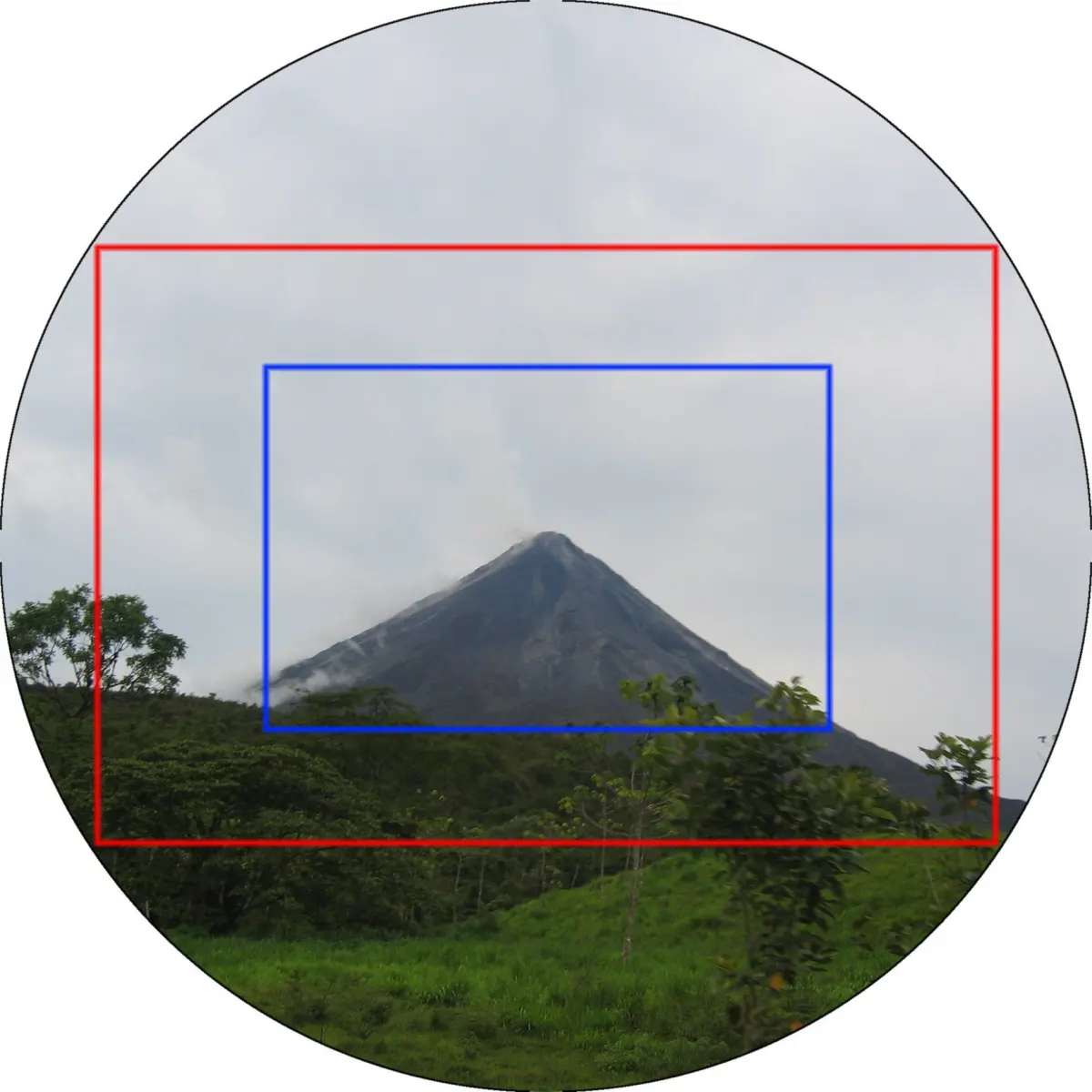
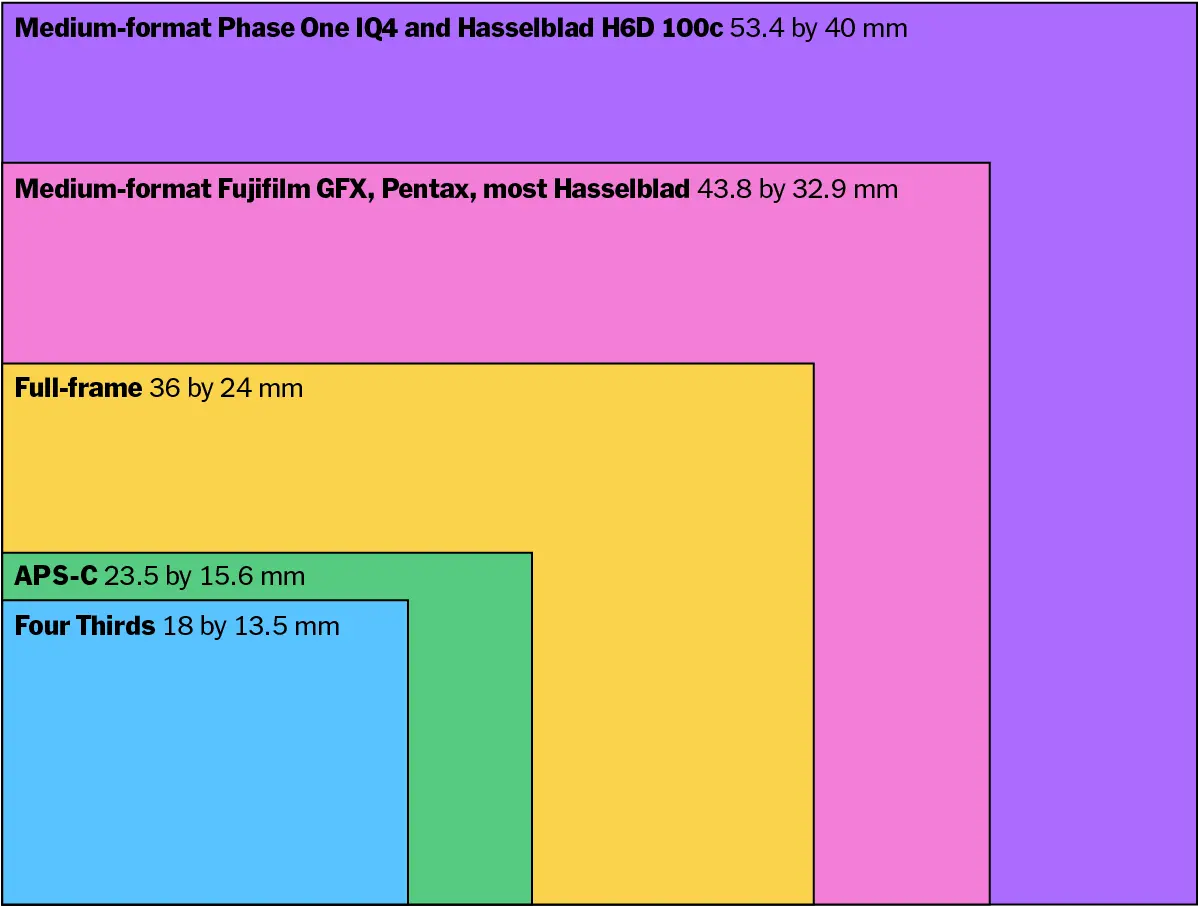
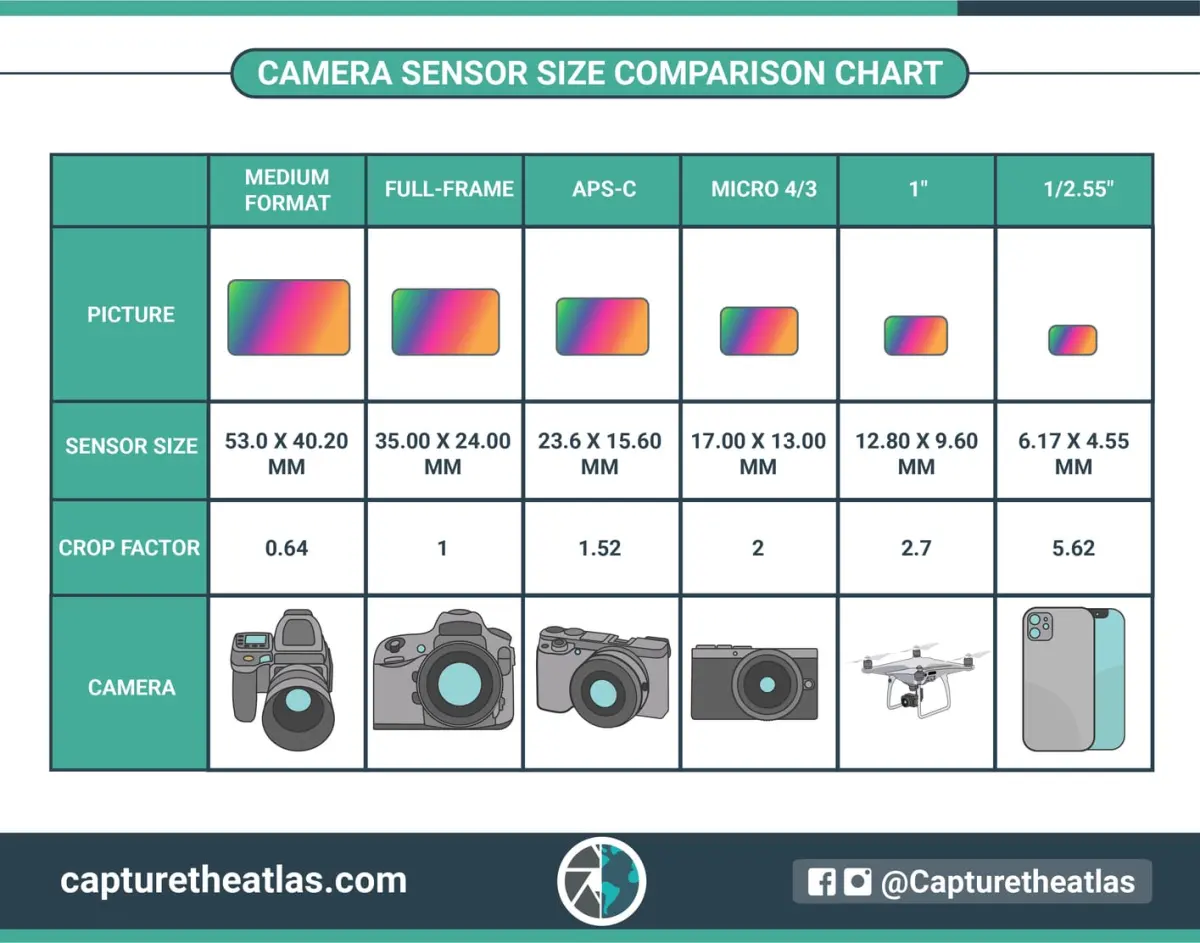
Sensor size is one of the most significant factors in determining the quality of your images. Larger sensors, such as Full Frame (36mm x 24mm), have physically larger photosites that can capture more light, leading to better performance in low-light conditions and higher dynamic range. Smaller sensors, like those found in smartphones or Micro Four Thirds cameras, have tighter pixel density, which can lead to more digital noise in dark environments.
When choosing a camera, consider these common sensor formats:
- Full Frame: Offers the best light sensitivity and depth-of-field control for professionals.
- APS-C: A smaller, more portable sensor that provides a "crop factor," effectively increasing the reach of your lenses.
- Micro Four Thirds: Compact and lightweight, ideal for travel and video work.
- 1-inch: Often used in premium compact cameras to balance size and image quality.
How to maintain your camera sensor
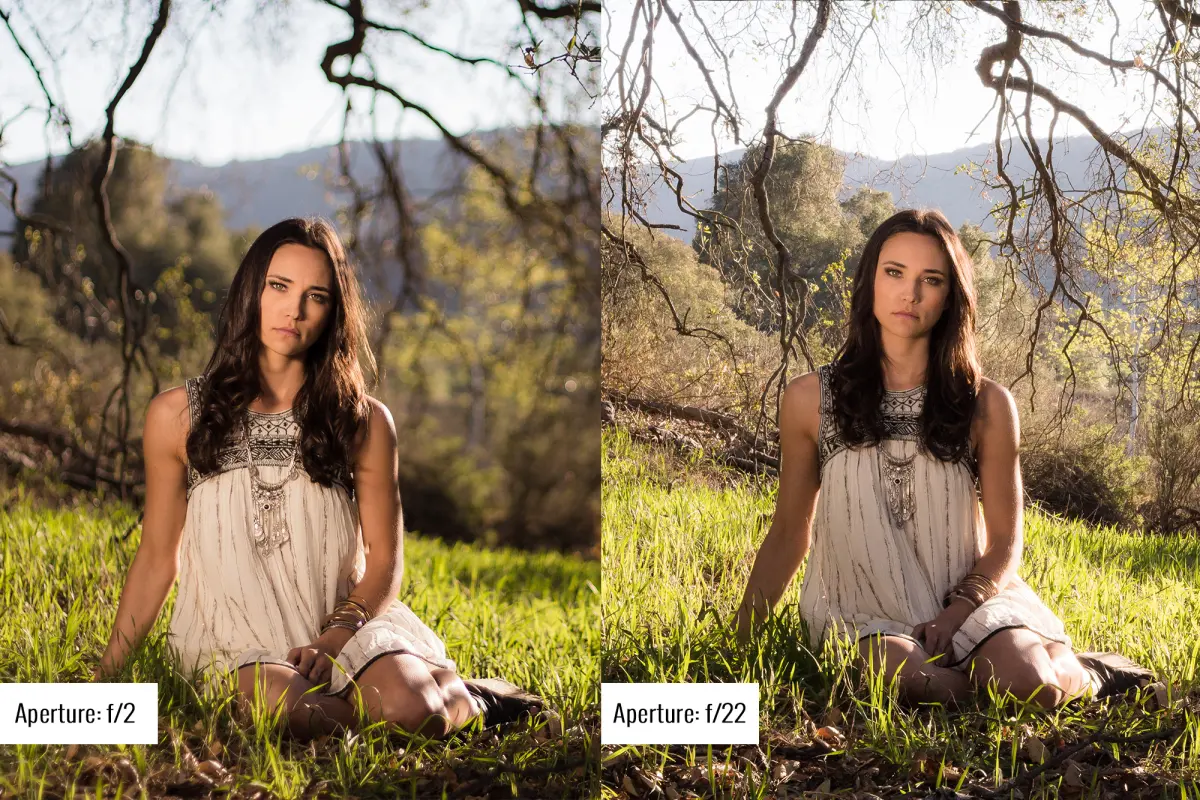
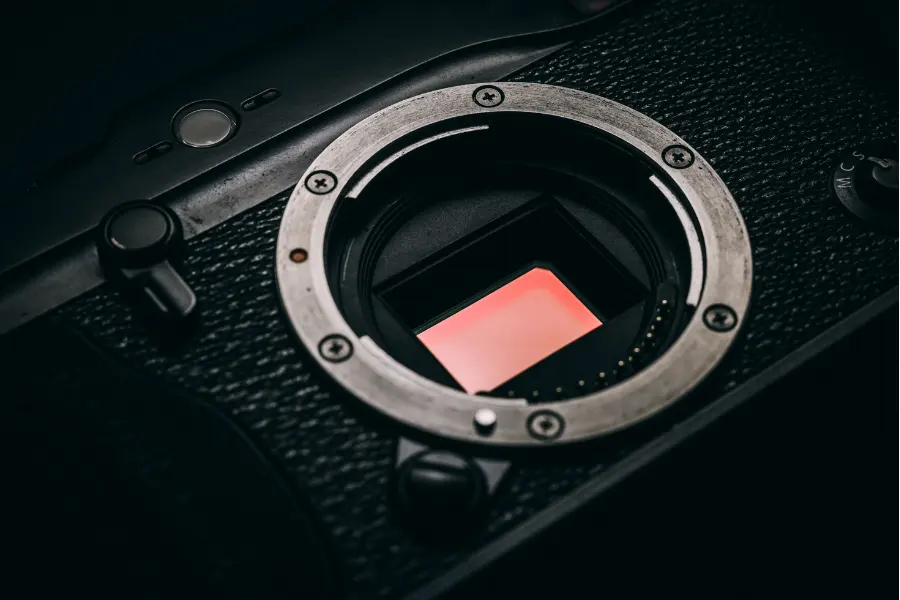
Over time, dust and debris can settle on the sensor’s protective glass, resulting in dark spots on your images. These spots are most visible when shooting at small apertures like f/16 or f/22, where the depth of field brings dust particles into sharp focus. Keeping your sensor clean is essential for maintaining high-quality output, but it must be done with extreme caution to avoid permanent damage to the delicate surface.
Follow these steps to safely clean your sensor:
- Use a manual air blower to dislodge loose dust particles while holding the camera body facing downward.
- If spots remain, use a sensor-specific cleaning swab and a few drops of specialized cleaning solution.
- Gently swipe the swab across the sensor surface in one smooth motion, using a new swab for each pass.
- Verify the cleanliness by taking a photo of a plain white wall at a small aperture.
Why sensor noise happens in low light
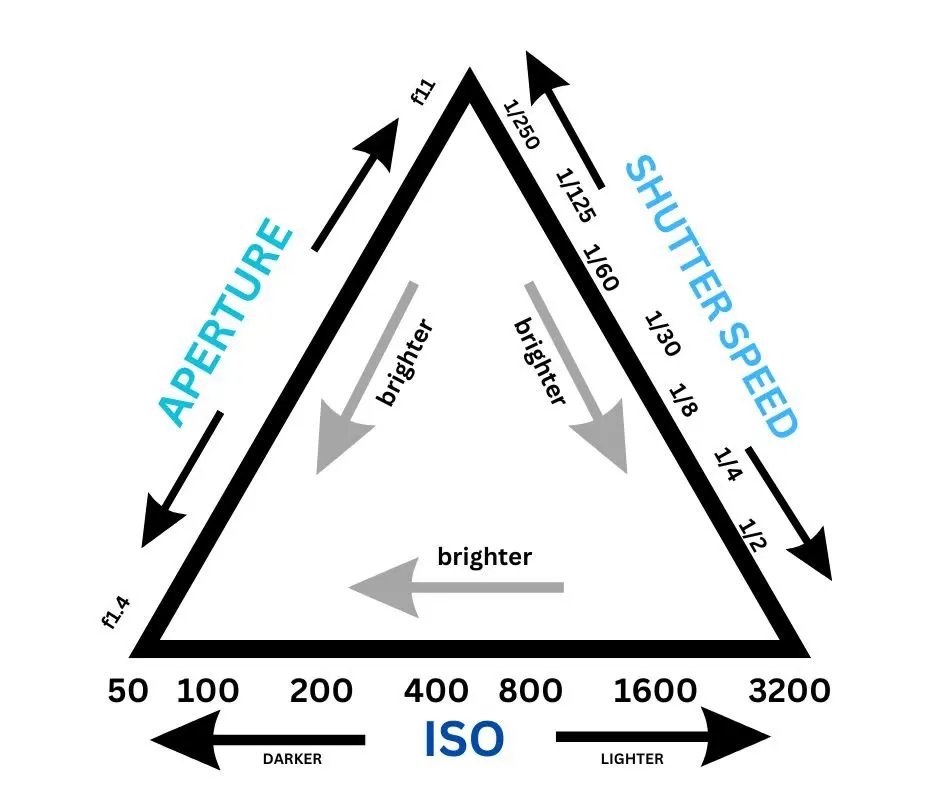
Digital noise, often appearing as grainy or speckled patterns, occurs when the sensor struggles to distinguish between actual light signals and random electrical fluctuations. This typically happens when you increase the ISO setting, which electronically amplifies the signal coming from the sensor. While higher ISO allows you to shoot in darker environments, it also amplifies the "floor noise" inherent in the hardware, leading to a degradation in image clarity and color accuracy.
Modern sensors have become significantly better at managing this noise through improved circuit design and heat dissipation. However, physics dictates that smaller sensors will always be more prone to noise than larger ones because their smaller photosites cannot collect as many photons. When shooting in low light, the best strategy is to use the lowest ISO possible, open your aperture wider to let in more light, or use a tripod to allow for a longer shutter speed.
Common mistakes when using camera sensors
One of the most frequent errors beginners make is neglecting the impact of sensor dust during long-exposure photography. When shooting landscapes at high f-stop numbers, even microscopic dust becomes highly visible against the sky or uniform backgrounds. Another common mistake is assuming that higher megapixel counts always equate to better image quality. While more pixels allow for larger prints, they can sometimes lead to smaller photosites that perform poorly in low-light scenarios compared to lower-resolution sensors of the same physical size.
Avoid these pitfalls to ensure your sensor performs at its peak:
- Never touch the sensor surface with your fingers, as oils can cause permanent smudges.
- Avoid cleaning your sensor in dusty environments where particles can easily settle back onto the glass.
- Do not use compressed air cans, as they can spray liquid propellant that damages the sensor coating.
- Always keep your camera body cap on when a lens is not attached to prevent debris from entering the chamber.
Key facts
- A camera sensor is a solid-state electronic device, typically a CMOS (Complementary Metal-Oxide Semiconductor) chip, that converts light into electrical signals.
- The surface of the sensor is covered in millions of tiny light-sensitive wells called photosites or pixels.
- Most sensors use a Bayer filter, a mosaic of red, green, and blue filters, to capture color information because individual pixels are color-blind.
- Sensor size is a critical factor; larger sensors generally perform better in low light and provide shallower depth of field than smaller ones.
- Digital-to-analog converters (DACs) translate the electrical charge from each pixel into binary data that the camera processor interprets as an image.
- A common mistake is assuming higher megapixel counts always equal better image quality; pixel size and sensor architecture are equally important for dynamic range.
The bottom line
A camera sensor acts as the digital retina of your device, transforming photons into the data that forms a photograph. By understanding the relationship between pixel size, sensor dimensions, and light sensitivity, you can better select equipment for your specific needs. While technology continues to evolve, the fundamental process of capturing light remains the cornerstone of digital photography, allowing you to preserve moments with precision and clarity.
People also ask
What is the difference between a full-frame and a crop-sensor camera?
A full-frame sensor matches the size of traditional 35mm film, while a crop sensor is physically smaller. Because of this size difference, crop sensors apply a magnification factor to lenses, which changes the effective field of view.
Why do sensors get noisy in low light?
When light levels are low, the sensor must amplify the electrical signal, which also amplifies background electronic interference. This manifests as "noise" or graininess in the final image, particularly in shadow areas.
How do I clean my camera sensor safely?
Use a dedicated sensor cleaning kit featuring a manual air blower to remove loose dust first. If debris remains, use a sensor swab with a few drops of specialized cleaning fluid, moving it across the sensor surface in one smooth motion.
Does the number of megapixels determine image resolution?
Yes, megapixels dictate the total number of pixels on the sensor, which determines the maximum print size and cropping flexibility. However, it does not dictate color accuracy, contrast, or low-light performance.
What is the purpose of the low-pass filter on some sensors?
A low-pass filter slightly blurs the image at the pixel level to prevent moiré patterns, which are strange artifacts that appear when photographing fine, repetitive textures. Many modern high-resolution cameras omit this filter to increase sharpness.
Why does my sensor get hot during long exposures?
Long exposures require the sensor to remain active for extended periods, causing the electronic components to generate heat. This thermal energy can introduce "hot pixels" or digital noise into the image, which is why some cameras have active cooling systems.
This answer was created with the help of AI research tools and reference sources. Spotted an error? Let us know — we correct mistakes quickly. See our editorial policy.