What is image stabilization?
Short answer
Image stabilization is a technology that compensates for unintended camera movement, such as hand tremors, to produce sharp, blur-free photographs and videos. By physically shifting lens elements or the image sensor, it counteracts vibrations during exposure. This allows photographers to use slower shutter speeds in low-light conditions without needing a tripod.
On this page
How does image stabilization work?
Image stabilization functions by detecting physical movement and applying a corrective response in real-time. Most modern systems utilize gyroscopic sensors to measure the velocity and direction of camera shake. Once detected, the camera’s processor calculates the necessary counter-movement to keep the image projected onto the sensor steady. This process happens in a fraction of a second, ensuring that the light path remains stable even as the photographer’s hands naturally sway.
There are two primary methods used to achieve this stability:
- Optical stabilization: Internal lens elements move to shift the light path and compensate for shake.
- Sensor-shift stabilization: The camera’s image sensor physically moves on a floating mount to counteract motion.
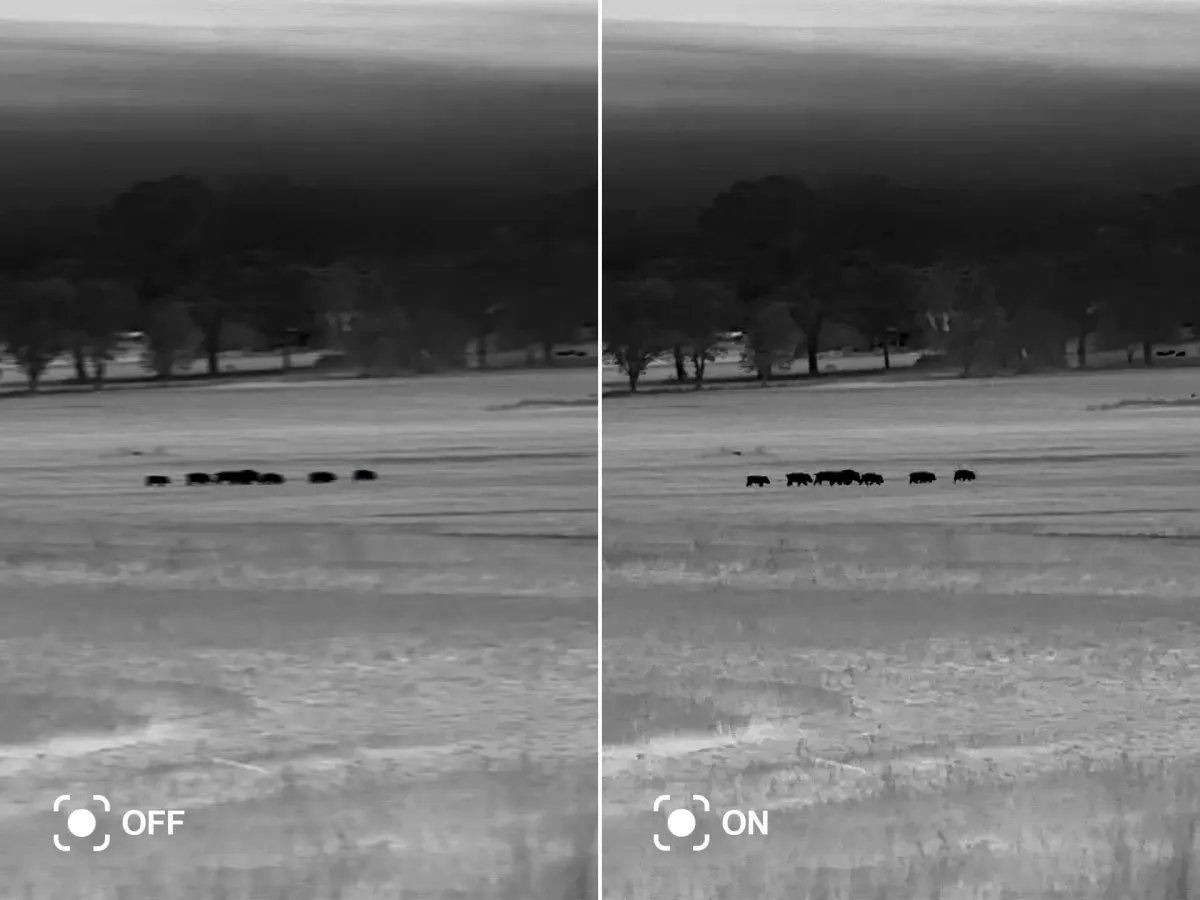
- Digital stabilization: The camera crops the edges of the frame to buffer movement, though this often reduces the final image resolution.
Both optical and sensor-shift methods are highly effective because they address the physical source of the blur. While digital stabilization is useful in smartphones, it lacks the precision and image quality preservation of mechanical systems found in professional cameras.
Why does camera shake happen?
Camera shake occurs whenever the camera moves during the period the shutter is open. Even the most steady-handed photographer experiences micro-tremors from their heartbeat or breathing. When using a long focal length, such as a telephoto lens, these tiny movements are magnified, leading to noticeable blur. This problem becomes particularly acute in low-light environments where cameras must keep the shutter open longer to collect enough light for a proper exposure.
Several factors influence the severity of the blur:
- Shutter speed: Slower speeds allow more time for movement to register on the sensor.
- Focal length: Higher magnification makes even minor vibrations appear significant.
- Physical posture: An unstable stance or lack of support increases the likelihood of sway.
Understanding these variables helps photographers determine when stabilization is necessary. By keeping the shutter speed above the reciprocal of the focal length, photographers can often avoid blur, but stabilization provides a critical safety margin when light levels force slower settings.
How to use image stabilization effectively
To maximize the benefits of stabilization, photographers should understand the limitations of their equipment. Stabilization is designed to correct small, high-frequency vibrations, not large, sweeping movements. If you are tracking a moving subject while panning, some systems may struggle to distinguish between intentional motion and accidental shake. Many lenses include a dedicated switch to toggle between standard stabilization and panning mode, which disables correction along one axis to allow for smooth motion tracking.
Follow these steps to optimize your stabilization settings:
- Ensure the stabilization switch on your lens or camera body is set to the "On" position.
- If using a tripod, turn off stabilization to prevent the system from "hunting" for motion that does not exist, which can actually introduce blur.
- Half-press the shutter button to allow the stabilization mechanism to engage before taking the final shot.
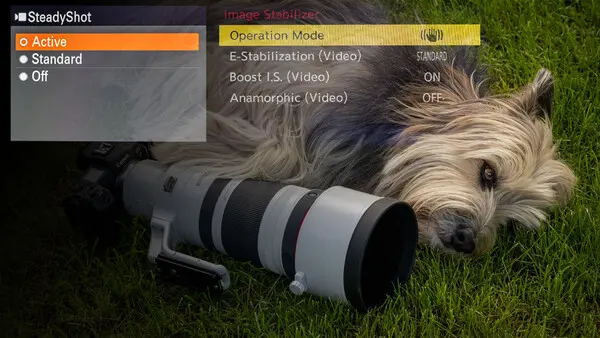
- If your camera offers multiple modes, select the one that matches your shooting style, such as active mode for handheld video or standard for stills.
Common mistakes when using image stabilization
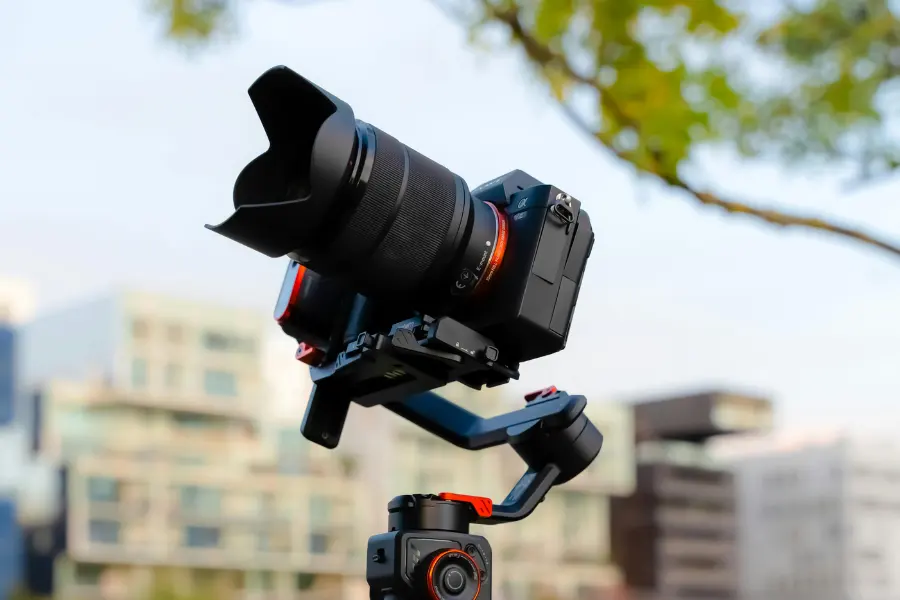
A frequent error is assuming that stabilization can compensate for any amount of movement. While it can add several "stops" of light, it cannot freeze a subject that is moving quickly. If your shutter speed is too slow, the background might be sharp thanks to stabilization, but your subject will appear blurry due to their own motion. Another common mistake is leaving stabilization active when the camera is mounted on a solid tripod or a gimbal. In these scenarios, the internal motors may attempt to correct for non-existent movement, causing the image to drift or jitter.
Avoid these common pitfalls to ensure the highest image quality:
- Forgetting to turn off stabilization when using a tripod.
- Relying on stabilization to shoot fast-moving subjects at slow shutter speeds.
- Failing to update camera firmware, which can lead to inefficient stabilization performance.
- Using low-quality adapters that prevent communication between the lens and the camera body.
Which stabilization system is best?
The choice between lens-based and sensor-based stabilization often depends on the specific needs of the photographer. Lens-based systems are often optimized for the specific optical design of a telephoto lens, making them highly effective for wildlife and sports photography. Conversely, sensor-shift stabilization is versatile because it works with every lens attached to the camera body, including vintage glass. Many modern mirrorless cameras now offer "in-body image stabilization" (IBIS), which can work in tandem with stabilized lenses to provide even greater levels of compensation.
When choosing a system, consider your primary subjects and shooting environment. If you frequently shoot handheld in dark, indoor settings, a camera with robust sensor-shift stabilization will provide the most benefit across your entire lens collection. If you specialize in long-distance photography, prioritize lenses with high-performance optical stabilization. Ultimately, the best system is one that allows you to maintain a sharp image while keeping your gear lightweight and portable for your specific creative needs.
Key facts
- Image stabilization (IS) compensates for camera shake, which is the slight, involuntary movement of a photographer's hands during an exposure.
- Optical stabilization uses floating lens elements or a shifting sensor to counteract motion, keeping the projected image steady on the camera's imaging plane.
- Digital stabilization crops the edges of a frame to create a buffer, allowing software to shift the image to smooth out jittery movement.
- A common rule of thumb is that you should use a shutter speed at least as fast as the reciprocal of your lens's focal length to avoid blur without stabilization.
- Stabilization systems are measured in "stops," where each stop represents a halving of the required light, allowing for slower shutter speeds without blur.
- Always turn off lens-based stabilization when using a tripod, as the system may attempt to compensate for non-existent movement and actually introduce blur.
The bottom line
Image stabilization is an essential technology that allows photographers to capture sharp, clear images in low-light conditions by compensating for handheld camera shake. By understanding the difference between optical and digital systems, users can make informed choices about their equipment. Remember to disable stabilization when using a tripod to ensure optimal results, and always prioritize a fast shutter speed when photographing fast-moving subjects for the best clarity.
People also ask
Does image stabilization help with moving subjects?
No, stabilization only corrects for the movement of the camera itself. It cannot freeze the motion of a subject, such as a running athlete or a flying bird, which requires a fast shutter speed.
Can I use stabilization while recording video?
Yes, stabilization is highly effective for video, as it helps smooth out the natural tremors of handheld shooting. Many modern cameras combine optical and digital methods to produce steady, cinematic footage.
Does stabilization affect image quality?
Optical stabilization generally does not degrade image quality, though some argue it can slightly reduce sharpness at extreme settings. Digital stabilization, however, reduces resolution because it crops the image to create a stabilization margin.
Why is my image still blurry with stabilization turned on?
If your shutter speed is too slow, even the best stabilization cannot prevent blur from subject motion. Additionally, if you are panning to follow a subject, the system may struggle to distinguish between intentional movement and shake.
Do all lenses have built-in stabilization?
No, stabilization is an optional feature that adds cost and weight to a lens. Many professional prime lenses lack stabilization because they have wide apertures that allow for fast shutter speeds, rendering the feature unnecessary.
Is in-body stabilization better than lens stabilization?
In-body image stabilization (IBIS) is versatile because it works with any lens attached to the camera. Lens-based systems are often optimized for specific focal lengths, which can provide superior performance for long telephoto lenses.
This answer was created with the help of AI research tools and reference sources. Spotted an error? Let us know — we correct mistakes quickly. See our editorial policy.