What is a QR code?
Short answer
A QR code, or Quick Response code, is a two-dimensional barcode consisting of black squares arranged on a white grid. Developed in 1994 by Denso Wave, it stores data that can be read quickly by imaging devices like smartphones. It bridges the physical and digital worlds by providing instant access to information.

On this page
How do QR codes work
A QR code functions as a machine-readable optical label that contains information about the item to which it is attached. Unlike traditional one-dimensional barcodes that only store data horizontally, QR codes store information both horizontally and vertically. This design allows them to hold significantly more data, including URLs, contact information, text, or Wi-Fi credentials. The pattern of squares represents binary data, which a camera lens processes and translates into readable instructions for a digital device.
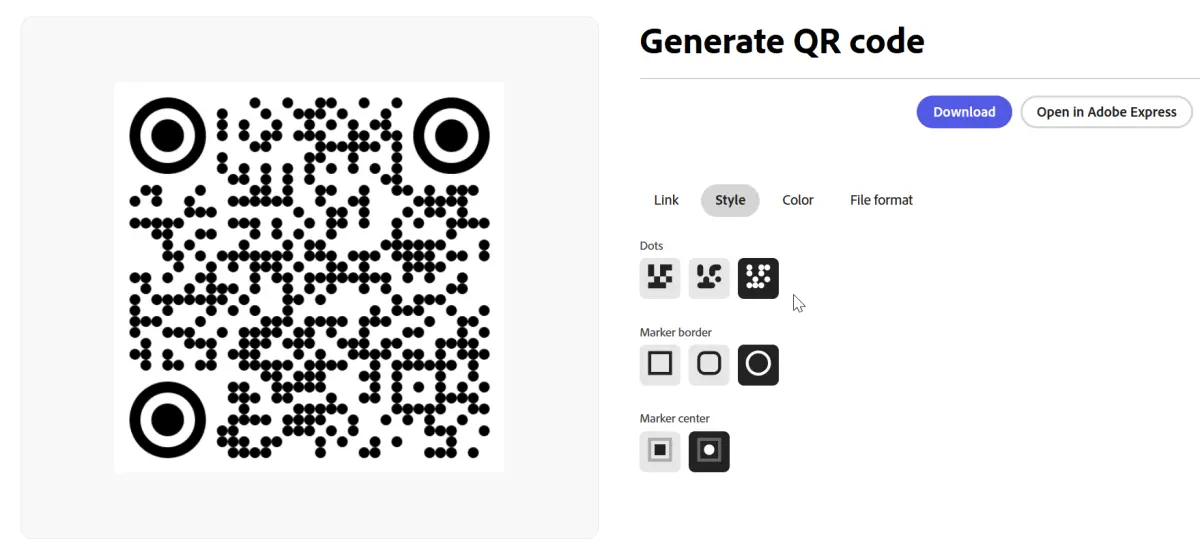
The structure of a QR code includes specific markers that help the reader identify the orientation and scale of the code. These include the three large squares at the corners, known as position detection patterns, which allow the scanner to recognize the code regardless of the angle at which it is viewed. Because of this sophisticated encoding, the scanner can interpret the data even if the code is slightly damaged or obscured. This error correction capability is a defining feature that ensures reliability in real-world environments.
How to scan a QR code
Scanning a QR code is a straightforward process that requires only a smartphone with a camera. Most modern mobile devices have built-in QR readers integrated directly into their native camera applications, eliminating the need for third-party software. To scan a code, simply open your camera app, point it at the code, and ensure it is centered within the frame. Once the device recognizes the pattern, a notification or link will appear, which you can tap to proceed to the destination.
If your camera does not automatically detect the code, follow these steps to ensure a successful scan:
- Ensure the code is well-lit and not covered by glare or shadows.
- Hold your phone steady at a distance that allows the entire code to fit within the screen.
- Clean your camera lens to remove smudges that might interfere with image clarity.
- Check your phone settings to ensure that the "Scan QR Codes" feature is enabled.
Where are QR codes used
The versatility of QR codes has led to their widespread adoption across various industries and daily activities. Businesses frequently use them to facilitate contactless payments, share digital menus in restaurants, and provide quick access to promotional websites. In the public sector, they are often found on transit tickets, museum exhibits, and product packaging, where they provide consumers with instant access to manuals, ingredient lists, or authentication certificates. Their ability to deliver information instantly makes them an essential tool for modern marketing and logistics.
Common applications of QR codes include:
- Directing users to a website or landing page.
- Adding contact details directly to a smartphone address book.
- Providing credentials for joining a secure Wi-Fi network.
- Launching mobile applications or specific software features.
- Validating tickets or boarding passes at airports and event venues.
- Enabling secure two-factor authentication for online account logins.

Why QR codes are secure
While QR codes themselves are just a method of encoding data, they can be used to facilitate malicious activities if users are not careful. The primary risk involves "quishing," a form of phishing where a malicious actor replaces a legitimate code with one that redirects users to a fraudulent website. These sites may attempt to harvest personal information, install malware, or trick users into making unauthorized payments. Because the destination of a QR code is hidden until it is scanned, users often trust the code implicitly without verifying the source.
To maintain security, always verify the physical context of the code before scanning. Avoid scanning codes found in public spaces that appear to have been tampered with, such as stickers placed over existing posters or menus. If a scanned link prompts you to download an application or enter sensitive login credentials, exercise extreme caution. Only interact with codes that are provided by reputable sources or displayed in secure, official locations to minimize the risk of encountering a compromised digital destination.
Common mistakes when using QR codes
One of the most frequent errors users make is failing to test a QR code before distributing it widely. If the URL is broken, the code is too small to be scanned, or the contrast between the squares and the background is insufficient, the code becomes useless. Designers often make the mistake of over-styling the code with colors or logos, which can interfere with the scanner's ability to interpret the data correctly. Always ensure that the code maintains a high level of contrast and that the quiet zone—the white border around the square—remains clear.
Another common mistake is placing QR codes in locations where they cannot be easily accessed, such as on moving vehicles or in areas with poor cellular connectivity. If a user cannot maintain a stable connection to the internet, the link embedded in the code will fail to load, leading to frustration. Furthermore, failing to use a shortened URL can result in a complex, dense pattern that is difficult for older cameras to read. By keeping the design simple and the link concise, you ensure a seamless experience for your audience.
Key facts
- QR stands for "Quick Response," a term coined by the Japanese automotive company Denso Wave in 1994.
- The design features a square grid of black modules arranged on a white background, which can hold up to 7,089 numeric characters.
- Unlike traditional barcodes, QR codes are two-dimensional and can be scanned from any angle or direction.
- They utilize Reed-Solomon error correction, allowing the code to remain readable even if up to 30% of the pattern is damaged or obscured.
- To scan a code, simply open your smartphone camera, point it at the image, and tap the notification link that appears on your screen.
- Avoid printing QR codes on highly reflective or curved surfaces, as these conditions often prevent scanners from focusing correctly.
The bottom line
QR codes serve as a highly efficient bridge between physical objects and digital information. By encoding data into a two-dimensional matrix, they allow users to access websites, payment portals, or contact details instantly. While they are remarkably robust and easy to generate, users should always exercise caution by verifying the destination of any scanned link to ensure digital safety in an increasingly connected world.
People also ask
Can a QR code expire?
Static QR codes do not expire and will continue to point to the original URL indefinitely. However, dynamic QR codes, which allow you to change the destination link later, may stop working if the subscription service hosting them is canceled.
Are QR codes inherently secure?
The code itself is just a container for data, usually a URL, and is not inherently malicious. Security risks arise if the destination website is fraudulent or designed to install malware, so always verify the source before clicking.
Do I need a special app to scan a QR code?
Most modern smartphones, including all current iPhone and Android models, have built-in QR scanners within their native camera apps. You only need a third-party app if you are using an older device that lacks this integrated functionality.
Can I create my own QR code for free?
Yes, numerous websites allow you to generate static QR codes for free by simply pasting your desired URL into their generator. These tools provide a downloadable image file that you can print or display digitally.
Why are some QR codes colorful?
While black and white provides the best contrast for scanners, many services now offer custom colors or logos. To ensure reliability, always maintain a high contrast ratio between the foreground modules and the background.
Can a QR code be used for offline tasks?
Yes, QR codes can store plain text, Wi-Fi credentials, or contact information that does not require an internet connection to decode. Once scanned, the device processes the embedded text locally or connects to a network automatically.
This answer was created with the help of AI research tools and reference sources. Spotted an error? Let us know — we correct mistakes quickly. See our editorial policy.