What is digital art?
Short answer
Digital art is any creative work made or presented using digital technology, such as computers, tablets, or software. It encompasses diverse mediums including 3D modeling, digital painting, vector graphics, and interactive installations. By utilizing binary code to manipulate pixels and geometry, artists create visual content that is easily reproducible and infinitely editable.
On this page
What is digital art exactly?
Digital art refers to artistic works that utilize digital technology as an essential part of the creative or presentation process. Unlike traditional mediums like oil on canvas or charcoal on paper, digital art exists as data files stored on electronic devices. This field emerged in the 1960s when pioneers like Frieder Nake and Vera Molnár began using early computers and plotters to generate geometric patterns. Today, the discipline has expanded to include complex 3D environments, motion graphics, and immersive virtual reality experiences.
The core of digital art lies in the manipulation of digital information. Artists use specialized software to define colors, shapes, and textures, which are then rendered onto screens or printed onto physical surfaces. Because the work is digital, it offers unique advantages such as the ability to undo actions, layer elements independently, and duplicate files without degradation. This flexibility has fundamentally changed how artists approach composition, color theory, and the final distribution of their creative output.
How to get started with digital art
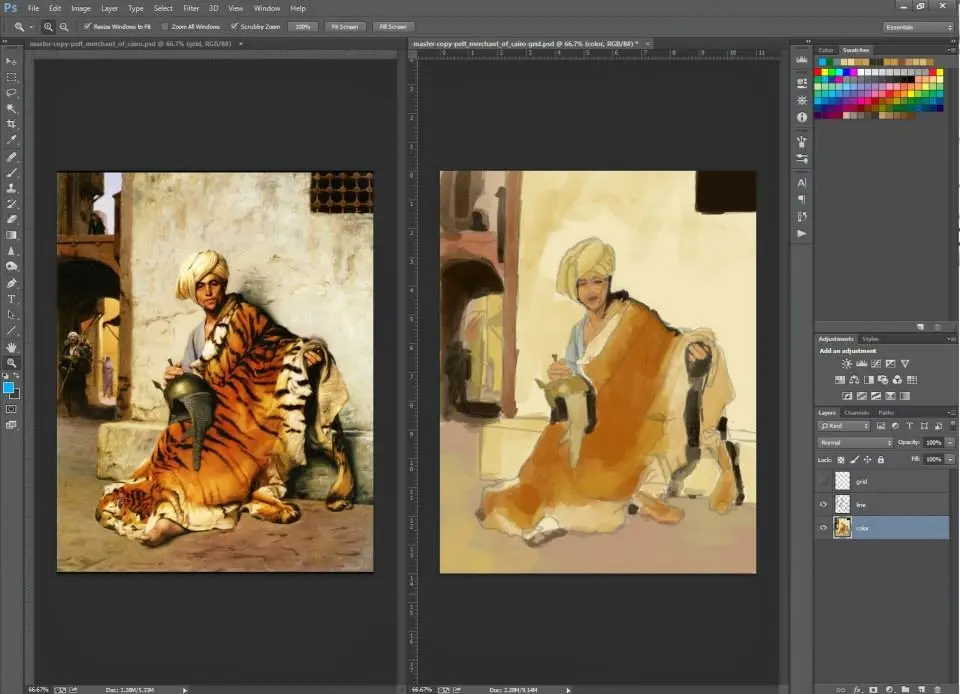
Beginning a journey into digital art requires a combination of hardware and software tailored to your specific goals. Most beginners start with a graphics tablet, which allows for natural pen-like input, or a high-quality touchscreen laptop. Popular entry-level software options include Krita, Procreate, and Adobe Photoshop. These tools provide the digital equivalent of brushes, pencils, and erasers, allowing you to transition from traditional techniques to a digital workspace with relative ease.
To begin your first project, follow these essential steps:
- Select a digital canvas size that matches your intended output, such as 1920x1080 pixels for screen viewing.
- Choose a brush or pen tool that mimics the texture you enjoy using in traditional media.
- Organize your work using layers to separate the background, sketch, and final line art.
- Experiment with blending modes to create lighting effects that are difficult to achieve manually.
- Save your progress frequently in the native format of your software to preserve all layer data.
Best software for digital artists
The software landscape for digital art is vast, catering to everything from illustration to complex 3D animation. For 2D illustration and painting, Procreate is widely considered the industry standard for tablet users due to its intuitive interface. Adobe Photoshop remains the professional choice for photo manipulation and complex digital painting. For those interested in 3D modeling and sculpting, Blender is a powerful, free, and open-source application that has become a staple for independent creators and small studios alike.
When choosing your software, consider the following factors:
- Compatibility with your existing hardware, such as pen pressure sensitivity.
- The availability of online tutorials and community support forums.
- The cost structure, whether it is a one-time purchase, a subscription model, or free software.
- The specific requirements of your project, such as vector-based design versus pixel-based painting.
- The ability to export files in common formats like PNG, JPEG, or TIFF for sharing.
Common mistakes when making digital art
One of the most frequent errors beginners make is over-relying on digital effects like filters or high-contrast blending modes. While these tools are powerful, they can often lead to a "plastic" or artificial look if used without understanding fundamental principles of light and shadow. Another common mistake is neglecting to organize layers, which makes editing or correcting errors time-consuming later in the process. Always label your layers clearly to keep your workspace manageable as your project complexity grows.
Additionally, many new artists ignore the importance of resolution. Working at a resolution that is too low will result in pixelated, blurry images if you ever decide to print your work. Always set your canvas to at least 300 dots per inch (DPI) if you intend to produce physical prints. Finally, avoid the trap of constantly zooming in to work on minute details. This habit often leads to a loss of focus on the overall composition, resulting in a piece that lacks balance and cohesion.
Why digital art is important today
Digital art has democratized the creative process by lowering the barrier to entry for millions of people worldwide. It removes the recurring costs of physical supplies like paint, canvas, and brushes, allowing artists to experiment freely without the fear of wasting expensive materials. Furthermore, the rise of digital platforms has enabled artists to share their work instantly with a global audience, bypassing traditional gallery gatekeepers. This connectivity has fostered vibrant online communities where artists can exchange feedback and collaborate on projects across borders.
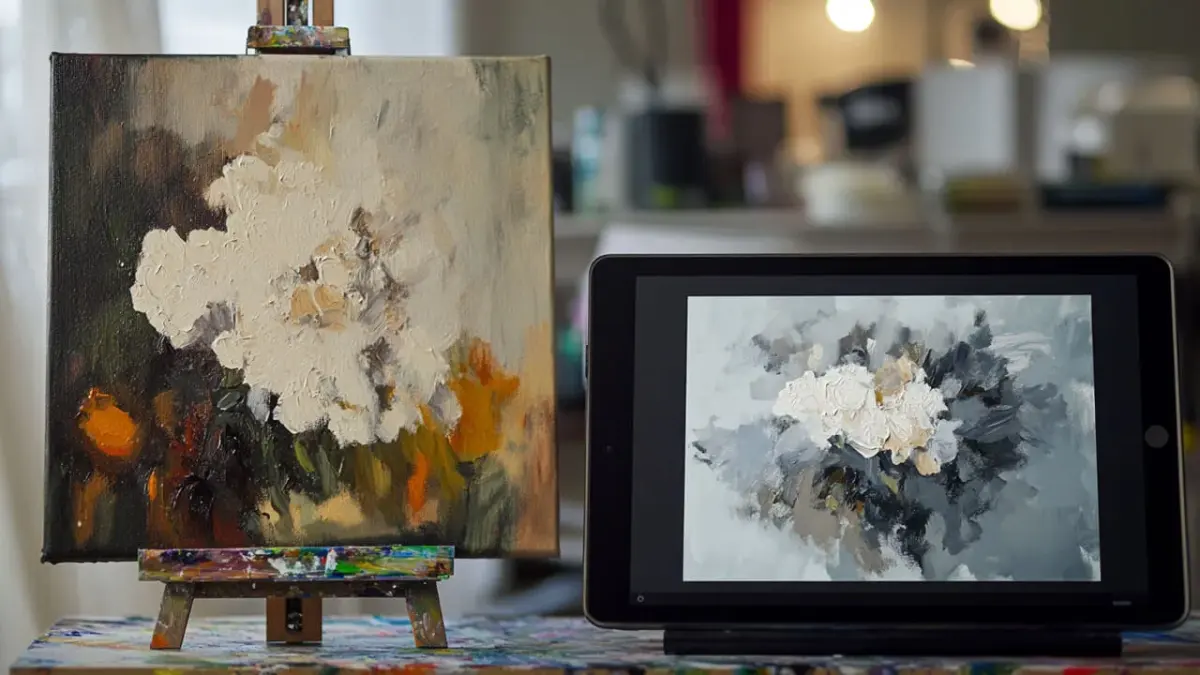
The impact of digital art also extends into commercial industries like film, video games, and advertising. Almost every modern blockbuster movie relies on digital artists to create environments and characters that would be impossible to build physically. As technology continues to evolve, the distinction between digital and traditional art continues to blur, with many artists now using hybrid workflows that combine physical sketching with digital finishing. This evolution ensures that digital art remains a dynamic and essential pillar of contemporary visual culture for years to come.
Key facts
- Digital art is any artistic work created or presented using digital technology, such as computers, tablets, or software.
- The term gained prominence in the 1980s when personal computers like the Commodore Amiga made graphic design accessible to hobbyists.
- Vector art uses mathematical formulas to create scalable images, while raster art uses a grid of colored pixels.
- A graphics tablet with a pressure-sensitive stylus is the industry-standard tool for professional digital illustrators.
- Common software for digital creation includes Adobe Photoshop, Procreate, Krita, and Corel Painter.
- To avoid file loss, always work in layers and save your progress frequently using cloud-based backups or external hard drives.
The bottom line
Digital art represents the integration of traditional artistic techniques with modern computing power. By mastering software tools and understanding the distinction between pixel-based and vector-based formats, creators can produce versatile works ranging from illustrations to complex animations. Whether you are a hobbyist or a professional, the accessibility of digital platforms allows for endless experimentation, provided you maintain organized files and focus on fundamental design principles.
People also ask
What is the difference between raster and vector graphics?
Raster images are made of pixels and lose quality when enlarged, making them ideal for detailed painting. Vector images use paths and points, allowing them to be scaled to any size without losing clarity.
Do I need expensive equipment to start creating digital art?
You can begin with a basic smartphone or tablet and a simple stylus. While professional artists use high-end hardware, the fundamental principles of composition and color theory remain the same regardless of the device.
What are the most common mistakes beginners make?
Beginners often forget to organize their work into layers or fail to use the correct resolution settings. Setting your canvas to 300 DPI is essential if you intend to print your artwork later.
How do artists sell digital art?
Artists often sell their work through online galleries, print-on-demand services, or by licensing their files to companies. Some also utilize blockchain technology to verify ownership of unique digital assets.
Is digital art considered "real" art?
Yes, digital art is a legitimate medium that requires the same technical skill and creative vision as traditional painting. It is widely exhibited in major museums and galleries globally.
Can I use digital art tools for animation?
Many digital art programs include features for frame-by-frame animation or motion graphics. Software like Adobe Animate or Toon Boom Harmony is specifically designed to bridge the gap between illustration and moving images.
This answer was created with the help of AI research tools and reference sources. Spotted an error? Let us know — we correct mistakes quickly. See our editorial policy.