What colors make cyan?
Short answer
Cyan is a secondary color created by mixing equal parts of green and blue light. In the subtractive color model used for printing, cyan is a primary pigment color, meaning it cannot be created by mixing other inks. Instead, it is a base color used to produce other hues like green and blue.
On this page
How light creates cyan
In the additive color model, which governs how light behaves on screens like televisions, computers, and smartphones, cyan is produced by combining green and blue light. When these two wavelengths are emitted with equal intensity, the human eye perceives the resulting color as cyan. This process relies on the stimulation of specific cone cells in the retina that respond to medium and short wavelengths of the visible spectrum.
Because light is additive, adding more light always moves the color closer to white. If you were to add red light to a cyan mixture, the result would shift toward white. This is the fundamental principle behind RGB color displays, where millions of colors are generated through varying intensities of these three primary light sources. Understanding this helps explain why digital images sometimes look different when printed on paper.
Why printing uses cyan ink
In the world of physical printing, the rules of color change significantly. Printers utilize the CMYK color model, which stands for Cyan, Magenta, Yellow, and Key (black). Unlike light, ink works through subtractive color mixing, where pigments absorb certain wavelengths of light and reflect others. Cyan ink is specifically formulated to absorb red light while reflecting green and blue light back to the viewer's eye.
Because cyan is a primary color in this system, it is impossible to create it by mixing other standard printer inks. If you attempt to mix magenta and yellow, you will achieve various shades of orange, red, or brown, but never cyan. This is why professional printers require a dedicated cyan cartridge. If your printer runs out of cyan, it cannot synthesize the color from the remaining ink reservoirs, leading to significant color shifts in your documents.
How to mix cyan with paint
If you are working with traditional media like acrylics, oils, or watercolors, achieving a true cyan can be challenging because most standard blue pigments are slightly biased toward purple. To get as close to cyan as possible, you must select a blue that is already leaning toward green. Phthalocyanine blue, often labeled as "Phthalo Blue (Green Shade)," is the industry standard for artists seeking a cyan-like hue.
To achieve the best results when mixing, follow these steps:
- Start with a base of Phthalo Blue (Green Shade) on your palette.
- Gradually add a small amount of titanium white to increase the brightness and opacity of the pigment.
- If the mixture still appears too dark or deep, add a tiny touch of a bright, cool-toned yellow, such as lemon yellow, to shift the blue toward the green spectrum.
- Test the color on a scrap piece of paper and allow it to dry, as many paints shift in value once the binder sets.
Common mistakes when mixing cyan
One of the most frequent errors artists make is attempting to use ultramarine blue to create cyan. Ultramarine is a warm blue with a reddish undertone, which means it will inevitably turn muddy or purple when mixed with yellow or white. Always check the label of your paint; if it says "Red Shade," avoid it for this specific purpose. Another common mistake is using too much white, which can make the color look chalky or desaturated rather than vibrant.
When working with digital design software, another common pitfall is failing to convert your color space correctly. If you design in an RGB color space but intend to print, the software may struggle to represent cyan accurately. This often results in a dull, muted blue on the printed page. Always ensure your document settings are configured to CMYK mode before you begin your project to avoid unexpected color shifts during the final output process.
Best tools for color matching
For designers and artists who need precision, digital color pickers and physical guides are essential. Tools like the Pantone Matching System (PMS) provide standardized ink formulas that ensure consistency across different printing presses. In a digital environment, the hexadecimal code for a standard web-safe cyan is #00FFFF. This code represents the maximum intensity of both green and blue channels in an 8-bit color system, providing a perfect reference for digital artists.
If you are trying to match a specific shade of cyan from a photograph or a physical object, consider using these resources:
- Digital eyedropper tools in software like Photoshop or GIMP to extract the exact RGB or CMYK values.
- Physical color swatches or fan decks that show how cyan interacts with different paper textures and finishes.
- Color calibration hardware for your monitor to ensure that the cyan you see on your screen is the same color being sent to your printer.
By utilizing these tools, you can maintain color accuracy throughout your creative workflow and ensure your final results are professional and vibrant.
Key facts
- Cyan is a secondary color created by mixing equal parts of green and blue light.
- In the subtractive CMYK color model used for printing, cyan is a primary ink color.
- The name "cyan" is derived from the Greek word "kyanos," meaning dark blue or enamel.
- Web colors define cyan as having the hexadecimal code #00FFFF, representing maximum green and blue.
- When mixing physical paints, you cannot create pure cyan by mixing other colors because it is a primary pigment.
- To achieve a cyan-like hue with paint, mix a bright blue with a small amount of white and a touch of green.
The bottom line
Cyan is a foundational color defined by the equal combination of green and blue light. While it serves as a primary pigment in professional printing, it remains impossible to create through mixing standard paints, as it is a base color itself. Understanding the distinction between its role in light-based displays and physical ink printing is essential for achieving accurate color reproduction in any creative project.
People also ask
Is cyan the same color as light blue?
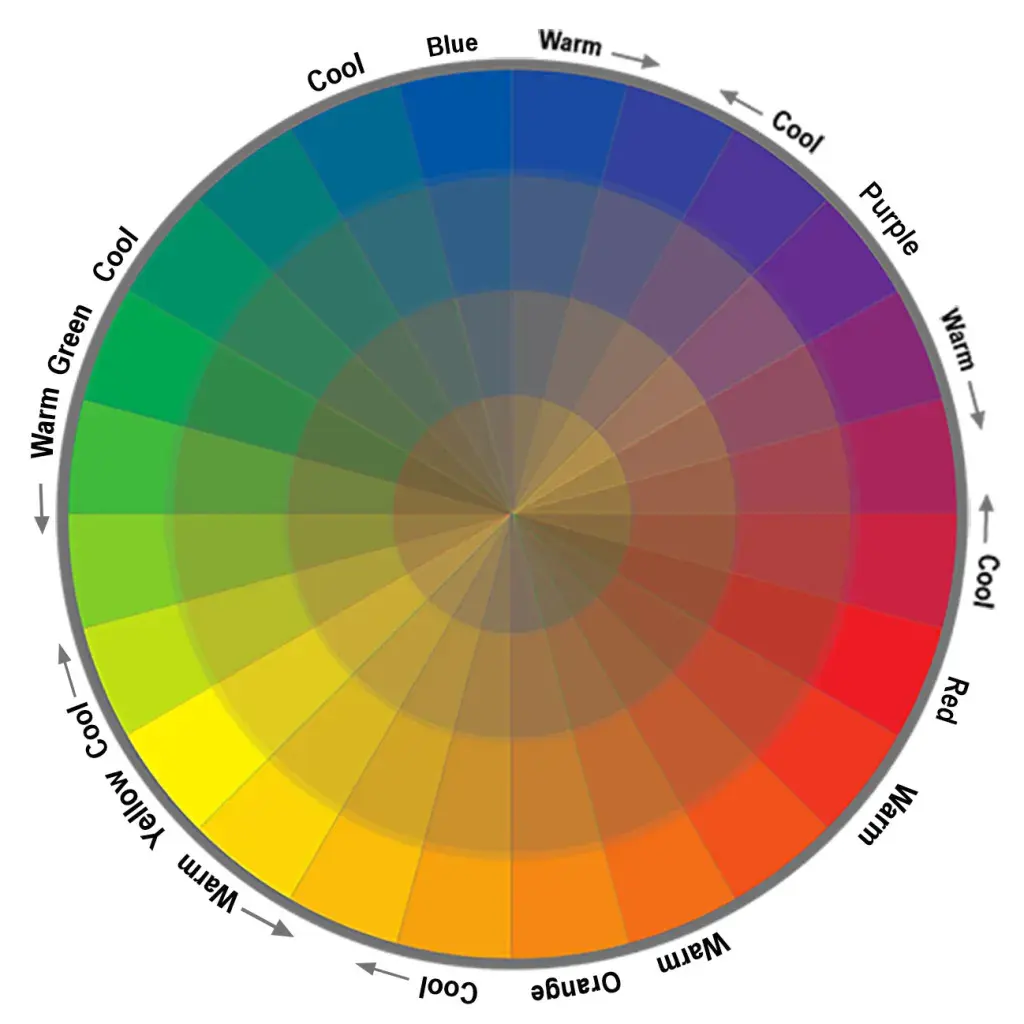
While they are similar, cyan is a distinct, highly saturated color that sits exactly between blue and green on the color wheel. Light blue typically refers to a tint of blue mixed with white, which lacks the intense green undertone found in pure cyan.
Why is cyan used in printer ink?
Cyan is one of the four base colors in the CMYK printing process, alongside magenta, yellow, and black. These specific pigments are used because they are subtractive primaries that can combine to create a wider range of colors than standard red, yellow, and blue.
How can I mix cyan using acrylic paint?
You cannot create a true, vibrant cyan by mixing because it is a primary pigment in subtractive color theory. To approximate it, start with a high-quality phthalocyanine blue and gradually add small amounts of white and a tiny hint of bright yellow or green until you reach the desired shade.
What is the difference between cyan and aqua?
Cyan is a precise, standardized color defined by specific wavelengths of light or ink mixtures. Aqua is a more general, descriptive term often used to describe colors that range from cyan to teal, depending on the context.
Does cyan exist in the visible light spectrum?
Yes, cyan is a spectral color that corresponds to wavelengths of light between approximately 490 and 520 nanometers. It is one of the distinct hues visible in a rainbow, positioned between blue and green.
Why does my screen show cyan differently than my printout?
Screens use the RGB color model, which emits light to create colors, while printers use the CMYK model, which uses ink to absorb light. Because these systems have different color gamuts, some highly saturated cyan shades on a monitor cannot be perfectly reproduced on paper.
This answer was created with the help of AI research tools and reference sources. Spotted an error? Let us know — we correct mistakes quickly. See our editorial policy.