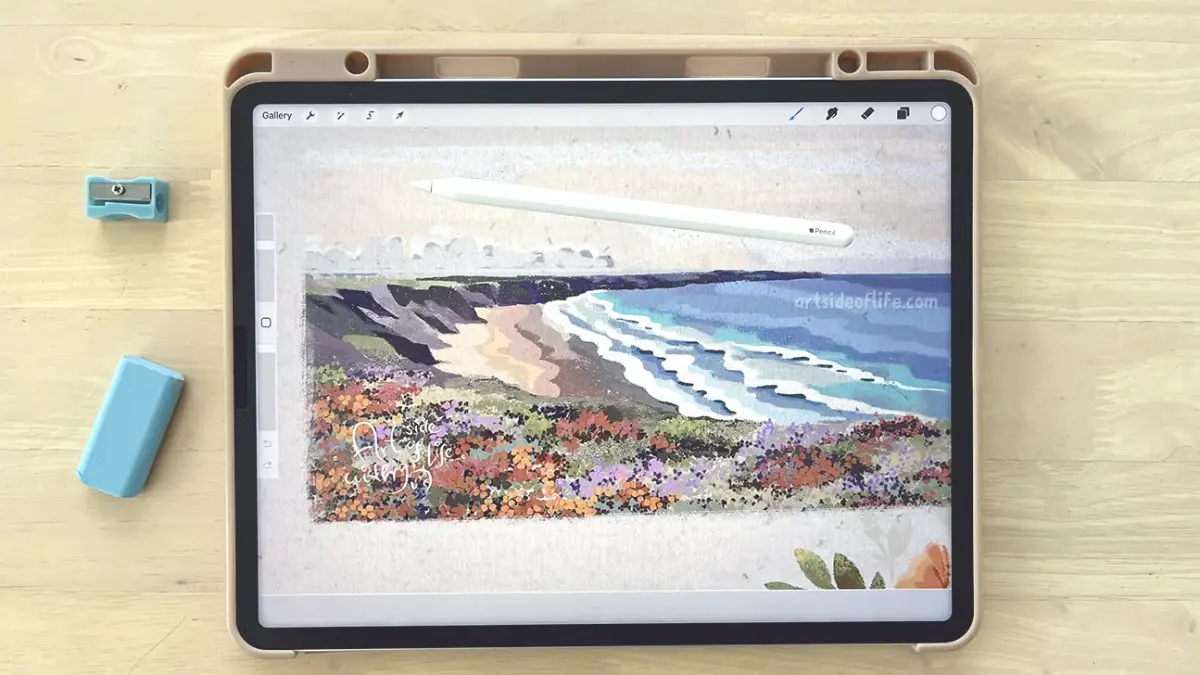
Can you use Procreate on Android?
Short answer
No, you cannot use Procreate on Android. Procreate is developed exclusively for iPadOS and visionOS by Savage Interactive. There is no official Android version, nor are there plans to release one. If you encounter websites claiming to offer Procreate APK files for Android, they are fraudulent and potentially malicious software.
On this page
Why is Procreate not on Android?
Savage Interactive, the developer behind Procreate, has maintained a strict focus on Apple hardware since the app's inception in 2011. The company argues that the tight integration between iPadOS, the Apple Pencil, and the M-series or A-series chips allows for the specific performance standards they demand. By limiting the software to a single hardware ecosystem, the developers can optimize memory management and latency to ensure a fluid, desktop-class painting experience that remains difficult to replicate across the fragmented Android landscape.
The Android ecosystem consists of thousands of different devices with varying screen resolutions, processor architectures, and stylus technologies. Maintaining a consistent experience across such diverse hardware would require significant resources that the independent studio chooses to invest in feature development for the iPad. Consequently, the company has publicly stated that they have no intention of porting the application to Android or Windows, preferring to preserve the quality of their current product rather than expanding to platforms that may not support their high-performance requirements.
How to find the best Procreate alternatives for Android
While you cannot run Procreate on an Android tablet, the Google Play Store hosts several powerful digital art applications that offer similar workflows and professional-grade tools. Many of these apps have evolved significantly in recent years, closing the gap between mobile and desktop illustration software. When searching for an alternative, look for apps that support layers, custom brush engines, and pressure sensitivity for styluses like the Samsung S-Pen.
Top-rated alternatives for Android include:
- Infinite Painter: Known for its highly customizable brush engine and interface that feels very similar to Procreate.
- HiPaint: A free, lightweight option that mimics the layer-based workflow of industry-standard software.
- Clip Studio Paint: A professional-grade application used by manga artists that offers the most robust feature set available on tablets.
- Sketchbook: A classic choice for artists who prefer a clean, distraction-free interface for sketching and painting.
- Krita: A fully featured desktop-class painting program that has been ported to Android, offering advanced color management and complex layer modes.
Common mistakes when looking for Procreate on Android
The most dangerous mistake users make is searching for "Procreate APK" or "Procreate for Android" on third-party websites. Because Procreate does not exist on Android, any file claiming to be the app is a security risk. These files are typically bundled with malware, spyware, or adware designed to steal personal information or compromise your device. Never download software from unofficial sources, as these sites often use deceptive marketing to trick users into installing harmful packages.
Another common error is purchasing "Procreate" from unofficial app stores or social media marketplaces. Scammers often create fake listings or rebranded versions of free software to trick users into paying for an app that does not exist. Always verify the developer name on the official Google Play Store or Apple App Store. If the developer is not listed as "Savage Interactive," the product is illegitimate. Stick to reputable, well-known creative apps to ensure your device remains secure and your data stays private.
How to choose a tablet for digital art
If your primary goal is to use Procreate, you must invest in a compatible iPad. When choosing an iPad, consider the screen size and the type of Apple Pencil you intend to use. The iPad Pro models offer the best performance and the most advanced display technologies, such as ProMotion, which reduces latency to near-zero levels. However, the iPad Air and standard iPad models are more than capable of handling complex illustrations for most artists.
If you prefer to stay within the Android ecosystem, prioritize tablets with high-quality displays and active stylus support. Follow these steps to evaluate a tablet for art:
- Check for active stylus support: Ensure the tablet includes or supports a pressure-sensitive pen like the Samsung S-Pen or Lenovo Precision Pen.
- Review the screen refresh rate: A 120Hz display significantly improves the drawing experience by reducing the lag between your pen stroke and the digital mark.
- Verify RAM capacity: Digital painting is memory-intensive; look for devices with at least 8GB of RAM to handle large files with many layers.
- Test the palm rejection: Visit a physical store to see how well the software handles your hand resting on the screen while drawing.
What to expect from professional art apps
Transitioning from one software to another requires an adjustment period, regardless of the platform. Professional art apps share many core concepts, such as layer blending modes, clipping masks, and adjustment filters. Once you master these fundamental principles in an app like Infinite Painter or Krita, you will be able to apply that knowledge to any other digital painting environment. Focus on learning the specific brush settings and export options, as these often differ between developers.
To get the most out of your chosen Android art app, spend time organizing your workspace. Most professional apps allow you to customize your interface, moving toolbars and panels to suit your dominant hand. Take advantage of the "undo" gestures and quick-access menus to speed up your workflow. By treating your tablet as a dedicated creative tool rather than a casual device, you can achieve professional results that rival those created on any other platform, regardless of the specific app you use.
Key facts
- Procreate is developed exclusively for iPadOS and is not available for Android devices.
- Savage Interactive, the developer of Procreate, has no current plans to port the software to Android.
- The app is optimized specifically for the hardware and software architecture of Apple tablets.
- Android users cannot legally download or "sideload" Procreate, as no official APK exists.
- Any website claiming to offer a "Procreate APK" for Android is likely hosting malware or phishing scams.
- Users can achieve similar professional results on Android using alternative high-quality creative software.
The bottom line
Procreate is a proprietary application designed exclusively for the Apple ecosystem, meaning it remains unavailable for Android users. While you cannot install it on an Android device, the platform hosts several powerful alternatives that replicate the professional features of Procreate. By choosing reputable software like Infinite Painter or Clip Studio Paint, you can achieve a comparable digital illustration experience without needing to switch to an iPad.
People also ask
What is the best alternative to Procreate for Android?
Infinite Painter is widely considered the closest alternative, offering a similar brush engine and interface. Other strong contenders include Clip Studio Paint and Sketchbook, which provide robust professional toolsets for digital illustrators.
Can I use a stylus with Android drawing apps?
Yes, most Android tablets support active styluses like the Samsung S Pen or universal capacitive pens. These tools provide pressure sensitivity and palm rejection, which are essential for a professional drawing experience.
Is Procreate available on Windows?
No, Procreate is currently restricted to iPadOS and the smaller, simplified version, Procreate Pocket, for iPhone. There is no version of the software compatible with Windows or desktop operating systems.
Why doesn't Savage Interactive release Procreate on Android?
The developers focus on maintaining high performance by optimizing their code for a limited range of Apple hardware. Developing for the vast array of Android device specifications would significantly complicate their development process and quality control.
Are there free drawing apps for Android?
Yes, apps like MediBang Paint and ibis Paint X offer powerful free versions with extensive brush libraries. These apps are highly capable and frequently updated to support new Android hardware features.
Will my Android tablet work for professional digital art?
Modern Android tablets, such as the Samsung Galaxy Tab S series, feature high-resolution displays and low-latency pens. They are excellent tools for professional digital art when paired with the right software.
This answer was created with the help of AI research tools and reference sources. Spotted an error? Let us know — we correct mistakes quickly. See our editorial policy.