What is MediBang Paint?
Short answer
MediBang Paint is a free, lightweight digital painting and comic creation software developed by the Japanese company MediBang Inc. It provides professional-grade tools for illustrators, including customizable brushes, layers, and cloud synchronization. Available on Windows, macOS, iOS, and Android, it is widely recognized for its specialized features tailored toward manga and comic artists.
On this page
What is MediBang Paint used for?
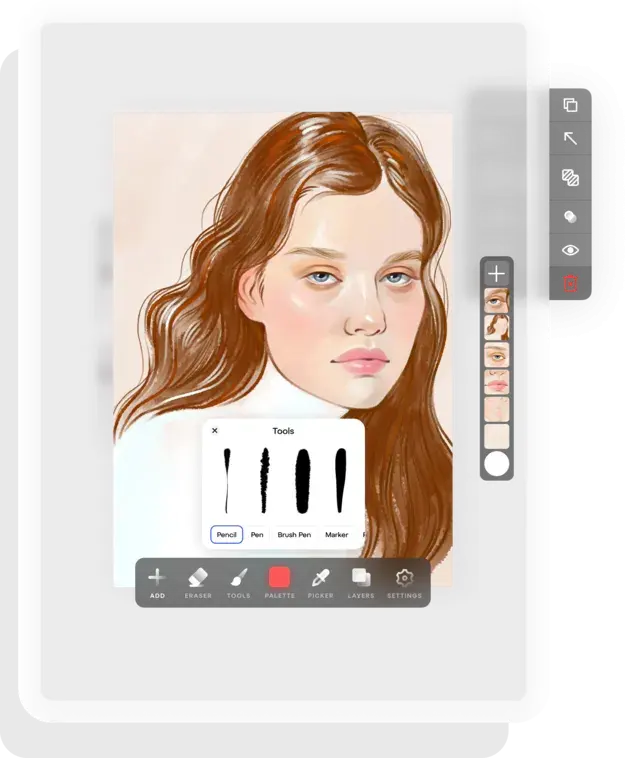
MediBang Paint is primarily designed for digital illustration and the creation of sequential art, such as manga and comics. It offers a comprehensive suite of tools that mimic traditional media, allowing artists to sketch, ink, and color their work within a single interface. The software is particularly popular among hobbyists and professionals who require a portable, cross-platform solution that does not sacrifice functionality for accessibility.
Beyond standard painting, the software includes specialized tools for comic production, such as panel dividers, page management features, and pre-installed screentones. Users can organize multi-page projects easily, making it a go-to choice for those looking to publish webtoons or print-ready manga. Because it is lightweight, it runs efficiently on tablets and older computers, providing a versatile environment for artists who work across multiple devices.
How to get started with MediBang Paint
Getting started with the software is straightforward, as the developers offer free installers for all major operating systems. Once you have downloaded and installed the application, you should create a free MediBang account to unlock cloud features. This account allows you to sync your brushes, settings, and project files across different devices, ensuring that your workflow remains consistent whether you are at your desk or on the go.
- Download the installer from the official MediBang website or your device's app store.
- Sign up for a MediBang account to access cloud storage and additional assets.
- Open the "New Canvas" menu and select a template, such as "Comic" or "Illustration," to set your resolution and dimensions.
- Familiarize yourself with the "Brush" and "Layer" windows, which are the two most critical panels for your daily workflow.
- Explore the "Cloud Brush" library to download custom textures and pen types that suit your specific style.
Best features for digital artists
The software distinguishes itself through a robust set of features that cater specifically to the needs of comic creators. One of its most praised tools is the "Panel Tool," which allows users to instantly create and adjust comic panels with precise borders. This eliminates the tedious process of drawing frames by hand, allowing artists to focus more on character design and storytelling.
In addition to paneling, the software provides:
- A vast library of screentones that can be applied to layers to add texture and shading.
- Perspective guides that help artists draw complex backgrounds with accurate vanishing points.
- A "Cloud Text" feature that enables users to easily add dialogue bubbles and sound effects to their pages.
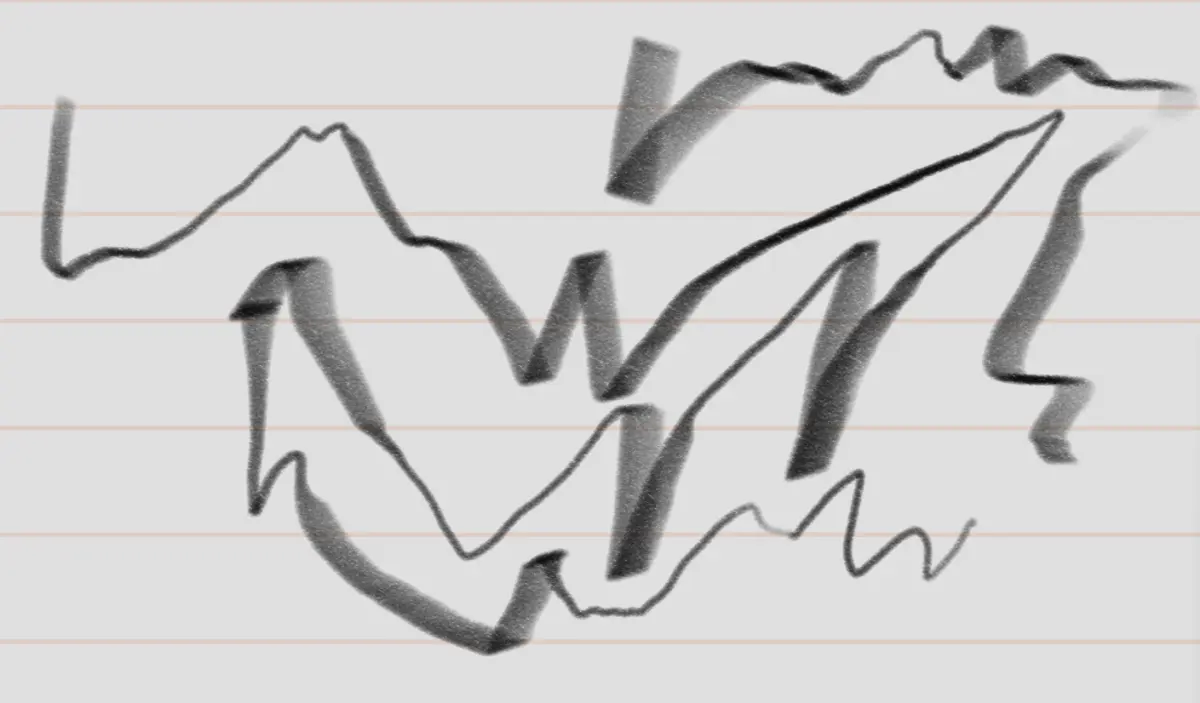
- Pressure sensitivity support for most graphics tablets, ensuring that lines vary in thickness based on the artist's touch.
Common mistakes when using MediBang Paint
One of the most frequent errors new users make is drawing directly on the "Background" layer. In digital art, you should always create new layers for your sketches, inks, and colors. If you work on a single layer, you will find it nearly impossible to edit specific elements later without erasing or distorting other parts of your work. Always keep your line art on a separate layer from your colors to maintain control.
Another common mistake involves ignoring the resolution settings when starting a new project. If you intend to print your artwork, you must set your canvas to at least 300 DPI (dots per inch). If you start a project at 72 DPI, the final print will appear blurry or pixelated. Additionally, avoid using too many complex layer effects, as these can significantly slow down the performance of the software on lower-end devices or mobile tablets.
Why choose MediBang Paint over others
Many artists choose MediBang Paint because it offers a professional feature set without the subscription fees associated with other industry-standard software. While other programs may require a monthly payment, MediBang remains free for all core features. This makes it an ideal entry point for students and artists who are just beginning their digital journey and want to avoid high overhead costs while still accessing high-quality tools.
The software also boasts a highly active community that frequently shares custom brushes and tutorials. This collaborative environment provides a wealth of resources for troubleshooting and skill-building. Because the software is updated regularly, it continues to evolve with the needs of the digital art community, ensuring that users have access to modern tools that keep up with current artistic trends. By choosing this platform, you join a global network of creators who value efficiency, affordability, and the specialized tools necessary to bring complex visual narratives to life.
Key facts
- MediBang Paint is a free digital painting and comic creation software released by the Japanese company MediBang Inc. in 2014.
- It is compatible with Windows, macOS, Android, and iOS, allowing users to sync projects across multiple devices via cloud storage.
- The software includes over 800 pre-made backgrounds, textures, and comic panels tailored for manga artists.
- It supports layers, blending modes, and a variety of customizable brushes, including G-pen, Mapping pen, and watercolor tools.
- Users can access the "MediBang Creators" platform to share their artwork and collaborate on team projects.
- A common mistake is failing to create a MediBang account, which prevents users from accessing cloud saving and additional downloadable brush assets.
The bottom line
MediBang Paint is a versatile, cross-platform digital art suite that excels in comic and manga creation. By offering professional-grade tools like layer management and cloud synchronization for free, it has become a staple for both hobbyists and industry professionals. Whether you are sketching on a tablet or illustrating a full graphic novel on a desktop, its lightweight design ensures a smooth, efficient creative workflow for everyone.
People also ask
Is MediBang Paint completely free to use?
Yes, the core software is free, though it offers an optional subscription service called MediBang Premium that provides extra cloud storage and exclusive brushes.
Can I use MediBang Paint to create professional manga?
Many professional artists use it because it includes specialized features like page management, tone application, and perspective guides specifically designed for comic production.
Does the software support PSD files?
MediBang Paint allows you to import and export files in PSD format, making it compatible with other industry-standard software like Adobe Photoshop.
Is a graphics tablet required to use the software?
While you can use a mouse, a pressure-sensitive graphics tablet is highly recommended to achieve natural line weight and professional shading effects.
How do I save my work properly?
You should save your file as an .mdp file to maintain layer data and editability; exporting to JPEG or PNG is only recommended for final delivery.
Can I customize the interface layout?
Yes, the software allows you to move, resize, or hide various toolbars and windows to create a workspace that fits your specific drawing style.
This answer was created with the help of AI research tools and reference sources. Spotted an error? Let us know — we correct mistakes quickly. See our editorial policy.