What colors make forest green?
Short answer
Forest green is created by mixing a primary green base with a small amount of black or dark blue to deepen the tone. To achieve the classic, rich hue, combine green with a touch of red to neutralize the vibrancy, or use black to darken the saturation for a muted, earthy finish.
On this page
How to mix forest green paint
Creating forest green requires a balance between saturation and darkness. Start with a standard medium green, such as phthalo green or a mixture of blue and yellow, as your base. To move toward a forest shade, you must reduce the brightness of the green by introducing a darker, contrasting color. Adding a tiny amount of black is the most common method, but it can sometimes make the color look muddy or gray if you add too much at once.
For a more professional and vibrant result, artists often prefer using complementary colors to darken their mixtures. By adding a small amount of red or deep crimson to your green, you neutralize the intensity of the pigment, effectively creating a deep, natural-looking shade. This technique prevents the color from appearing flat or artificial. Always add the darkening agent in very small increments, as it is significantly easier to deepen a light color than it is to brighten a dark one.
Best color combinations for forest green
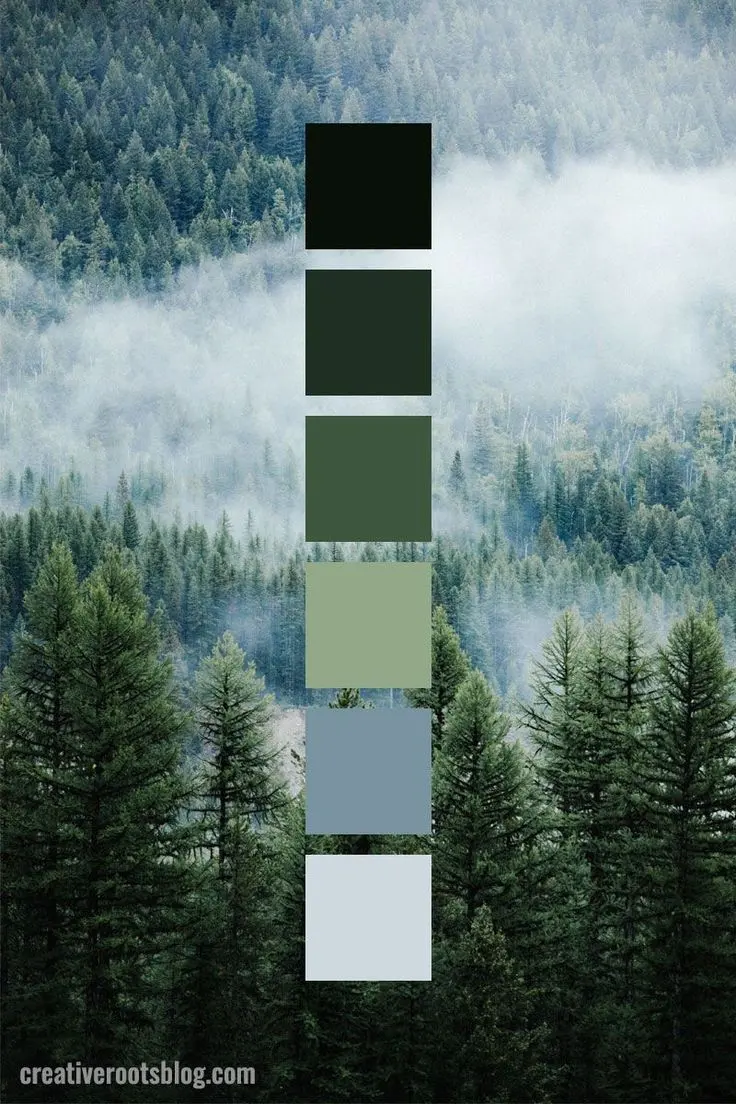
The specific shade of forest green you desire depends on the underlying temperature of the colors you mix. If you want a cool, pine-like forest green, focus on blue-leaning greens mixed with a touch of black or dark navy. If you prefer a warmer, mossier forest green, incorporate more yellow into your base green and use a dark brown or burnt umber to deepen the tone. Experimenting with these ratios allows you to mimic the natural variety found in woodland environments.
- Start with a base of sap green or viridian.
- Add a tiny drop of ultramarine blue to cool the mixture.
- Gradually incorporate small amounts of burnt umber to achieve an earthy, deep forest tone.
- Test the color on a scrap piece of paper or canvas, as colors often darken significantly once they begin to dry.
Why forest green changes appearance
The way forest green appears to the human eye is heavily influenced by the surrounding colors and the quality of light. Because forest green is a secondary or tertiary color, it reflects a specific spectrum of light that can be easily overwhelmed by brighter, warmer colors nearby. In direct sunlight, a forest green may look quite vibrant and emerald-toned, while in a dim room, the same mixture may appear almost black. This phenomenon is known as simultaneous contrast.
When working with this color, consider the finish of your medium. A matte paint will absorb more light, making the forest green appear darker and more velvety, while a glossy finish will reflect light, making the color appear lighter and more saturated. If you are painting a room or a large canvas, always test the color in the specific lighting conditions where it will reside. This ensures that the depth of the green remains consistent with your original vision for the project.
Common mistakes when mixing forest green
One of the most frequent errors beginners make is adding too much black pigment to the mixture. Black paint often contains strong undertones of blue or brown that can completely overpower the green, resulting in a color that looks like charcoal rather than a deep forest shade. If you find your mixture has become too dark or dull, you may need to add a significant amount of fresh green to recover the hue, which can lead to wasting materials.
Another common mistake is failing to mix the colors thoroughly before applying them to your surface. Streaky paint can look unprofessional and makes it difficult to judge the true final color. Ensure your pigments are fully blended until the mixture is uniform. Additionally, avoid using cheap, low-pigment paints, as these often lack the depth required to create a rich forest green. High-quality pigments provide better coverage and a more realistic, organic appearance that mimics the complexity of nature.
How to adjust forest green shades
Refining your forest green is a process of trial and error that rewards patience. If your mixture feels too "artificial" or bright, add a touch of complementary red to desaturate it. If the color feels too heavy or dark, you can introduce a small amount of white, though this will turn the forest green into a sage or olive tint rather than a deep, dark forest shade. Use these adjustments to fine-tune your palette:
- Add yellow to brighten the mixture for a spring-forest look.
- Add blue to deepen the mixture for a midnight-forest look.
- Add a tiny amount of white to test the undertones of your green.
- Use a palette knife to ensure even blending without creating air bubbles.
By keeping a record of your ratios, you can recreate your perfect shade of forest green whenever you need it. Maintaining a clean palette is essential, as even a small amount of leftover paint from a previous project can alter the final result of your custom green mixture.
Key facts
- Forest green is a deep, dark shade of green that mimics the foliage of dense, mature woodlands.
- To create forest green using primary colors, mix a large amount of green with a small touch of black or dark blue.
- Adding a tiny amount of red to a green base will desaturate the color, creating a more natural, earthy tone.
- Use a ratio of approximately 90% green to 10% black to achieve the classic, deep forest aesthetic.
- Always add dark pigments gradually, as it is significantly easier to darken a light color than to lighten a dark one.
- Avoid using pure, bright yellow-greens, as these will result in a lime or neon hue rather than a deep forest shade.
The bottom line
Creating the perfect forest green requires a balanced approach of starting with a dark green base and carefully introducing black, blue, or earthy pigments. By adding dark tones slowly and avoiding excessive mixing, you can achieve a rich, natural shade that mimics real-world foliage. Remember that testing your mixture on a separate surface before committing to your final project is the most reliable way to succeed.
People also ask
Is forest green the same as hunter green?
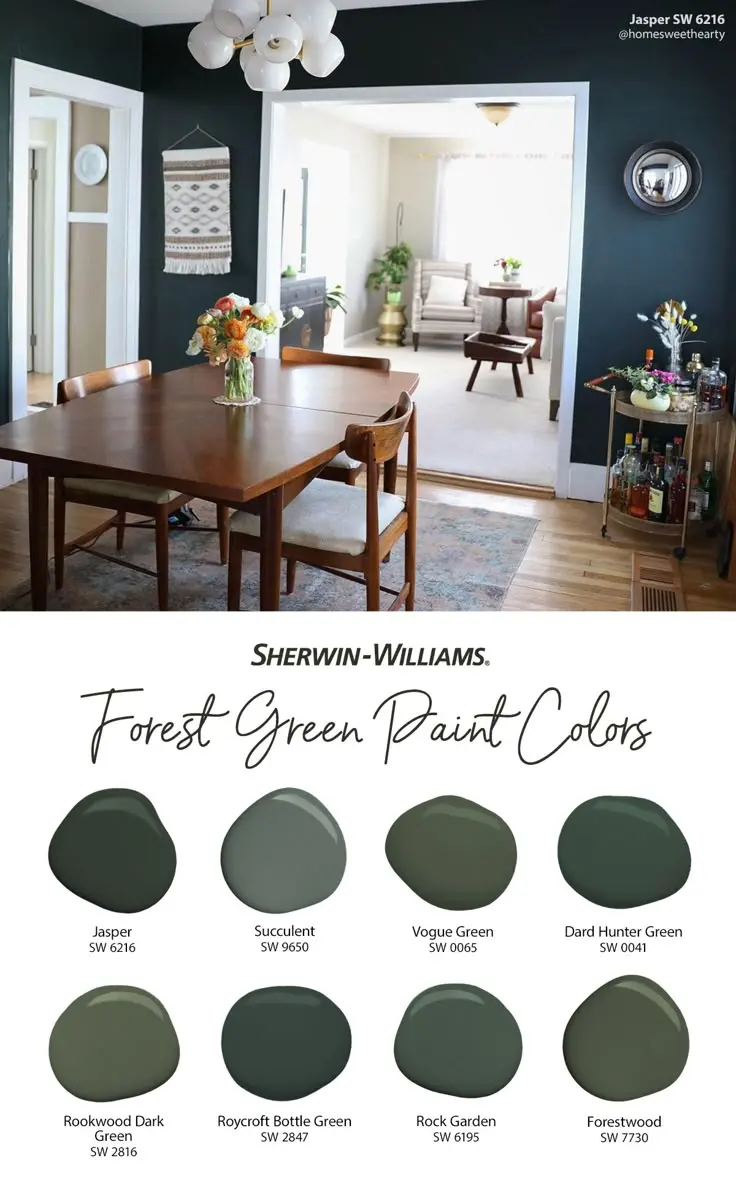
While often used interchangeably, forest green is typically slightly lighter and more vibrant than the very dark, brownish-tinted hunter green. Hunter green is designed to blend into deep shadows, whereas forest green represents the color of leaves in daylight.
Can I make forest green using only yellow and blue?
Yes, you can start by mixing a dark blue, such as ultramarine, with a small amount of yellow to create a base green. Once you have a dark green, add a tiny drop of black or burnt umber to deepen the tone into a forest green.
Why does my forest green look muddy when I mix it?
Muddy colors often occur when you mix too many complementary colors, such as red and green, in equal proportions. To fix this, add a small amount of pure green or blue back into the mixture to restore the color's vibrancy.
Does the type of paint affect the final forest green color?
Yes, acrylics, oils, and watercolors react differently to mixing because of their binder properties and transparency levels. Acrylics tend to dry slightly darker, so you should test the color on a scrap piece of paper before applying it to your main project.
How do I make forest green look more realistic for a landscape painting?
To add realism, incorporate subtle variations by mixing in small amounts of yellow ochre or raw umber. These earthy tones prevent the green from appearing flat and help mimic the natural complexity of forest vegetation.
What is the best way to store leftover forest green paint?
Store your paint in an airtight container away from direct sunlight to prevent it from drying out or shifting in hue. If using acrylics, place a piece of plastic wrap directly on the surface of the paint before sealing the lid to prevent a skin from forming.
This answer was created with the help of AI research tools and reference sources. Spotted an error? Let us know — we correct mistakes quickly. See our editorial policy.