How do you use a mono zero eraser?
Short answer
The Tombow Mono Zero eraser is a precision tool used for fine detail work and erasing small areas without disturbing surrounding marks. To use it, extend the eraser tip by clicking the top button, apply light pressure to the paper, and use short, controlled strokes to lift graphite or colored pencil pigment.
On this page
How to use a mono zero eraser effectively
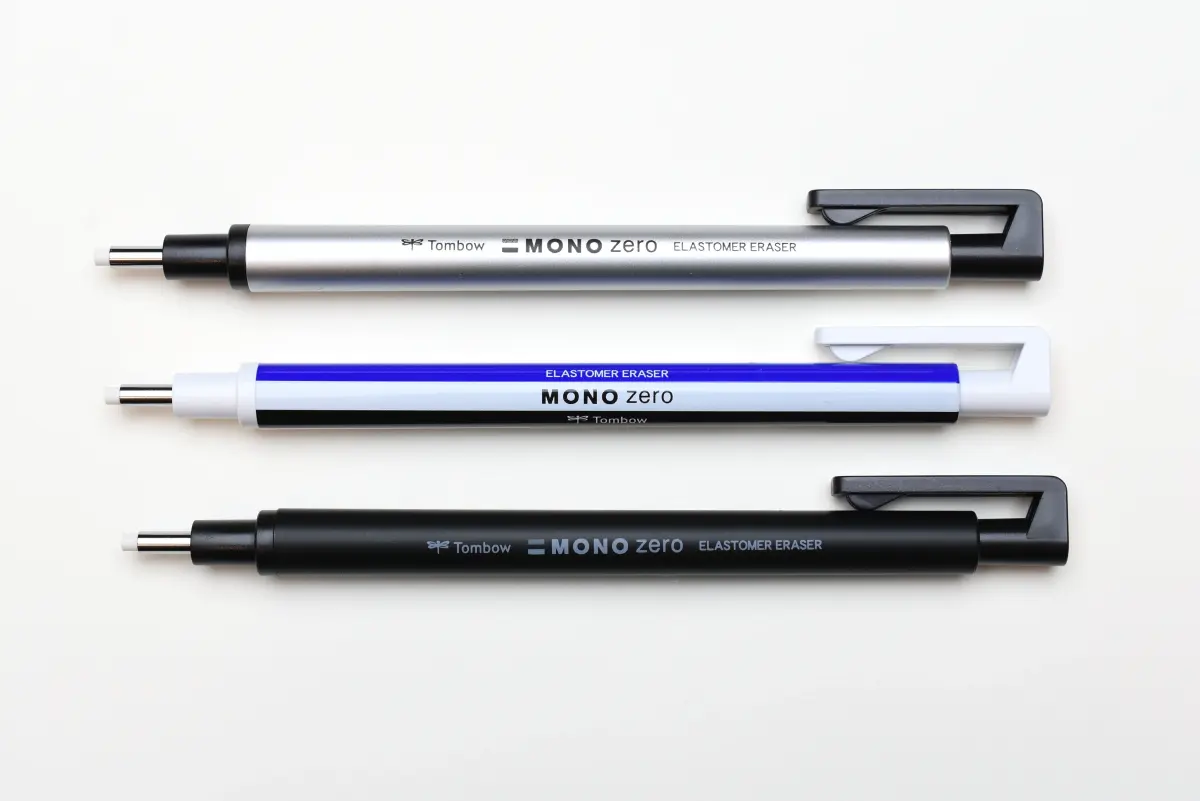
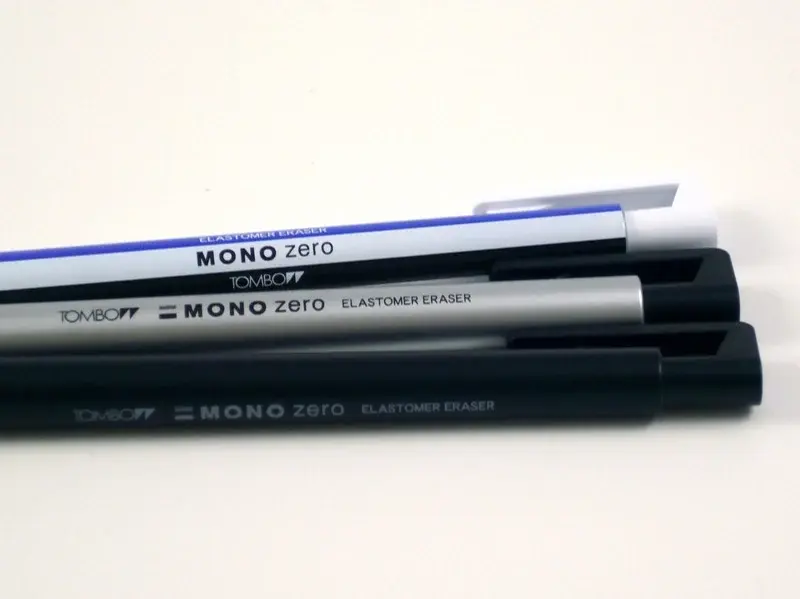
The Mono Zero features a slim, pen-like body designed for high-precision erasing. To begin, press the top clicker mechanism to extend the thin eraser tip, keeping it short to prevent snapping. Hold the tool like a standard mechanical pencil, resting your hand on the paper for stability. Use light, circular motions or gentle taps rather than heavy scrubbing to remove graphite.
When working on intricate drawings, the tool acts more like a drawing instrument than a traditional block eraser. Because the tip is so small, it allows you to create highlights in hair, catchlights in eyes, or clean up edges of architectural lines. Always ensure your paper is on a hard, flat surface to avoid tearing the fibers during the erasing process.
- Click the top button to expose 1 to 2 millimeters of the eraser.
- Position the tip over the area requiring correction.
- Apply minimal pressure to avoid bending or breaking the slender core.
- Use short, light strokes to lift the pigment from the surface.
- Brush away any loose eraser debris with a soft cloth or drafting brush.
How to replace the mono zero eraser refill
Refilling the Mono Zero is a straightforward process that ensures the tool remains functional for long-term use. When the eraser core becomes too short to extend or is worn down to the plastic casing, you must remove the remaining stub. Pull the worn-out piece straight out from the tip using your fingers or a pair of tweezers.
Insert the new refill into the front of the holder, pushing it inward until it seats firmly against the internal mechanism. It is important to ensure the refill is fully inserted so the clicking mechanism can engage correctly. If the eraser does not advance after insertion, check that the internal clutch has properly gripped the new refill.
- Keep a supply of refills on hand to avoid work interruptions.
- Store refills in their original packaging to prevent dust accumulation.
- Ensure the refill diameter matches your specific model, as they come in circular and rectangular shapes.
- Avoid forcing the refill if you feel resistance, as this may damage the internal clutch.
Best surfaces for mono zero eraser use
The effectiveness of this eraser depends heavily on the paper quality you choose. High-quality, acid-free drawing paper with a medium tooth works best, as it holds graphite well while allowing the eraser to lift pigment without damaging the surface. Smooth bristol board is also an excellent choice for fine-line work, as the eraser can glide across the surface without catching on fibers.
Avoid using the Mono Zero on very soft, porous, or cheap newsprint paper. These materials are fragile and prone to pilling or tearing when subjected to the concentrated pressure of such a small tip. If you are working on heavily textured watercolor paper, use extreme caution, as the eraser may get stuck in the deep grooves of the paper's texture.
- Hot-pressed watercolor paper provides a smooth surface for detailed erasing.
- Bristol board is ideal for high-contrast graphite illustrations.
- Smooth sketchbook paper is sufficient for casual practice and sketching.
- Avoid rough-textured paper to prevent the eraser tip from fraying prematurely.
Common mistakes when using a mono zero eraser
One of the most frequent errors is applying too much pressure, which causes the thin eraser core to snap. Because the tip is narrow, it lacks the structural integrity of a block eraser; it is designed to lift pigment, not to scrub away heavy layers of dark lead. If you find yourself pushing hard, you are likely trying to erase too much at once.
Another mistake involves extending the eraser too far out of the casing. When the tip is long, it becomes unstable and prone to bending or breaking under the slightest resistance. Additionally, failing to clean the eraser tip after use can lead to smearing, as graphite builds up on the rubber and transfers back onto the paper during your next correction.
- Do not use the eraser to remove large areas of shading.
- Avoid dragging the eraser across the paper at a sharp angle.
- Never force the clicker mechanism if the eraser feels stuck.
- Clean the tip by rubbing it on a scrap piece of paper before working on your final drawing.
Why mono zero erasers are preferred by artists
Professional illustrators and architects favor the Mono Zero because it offers a level of control that standard erasers cannot match. In portraiture, it is indispensable for adding fine details like individual strands of hair or subtle light reflections in the iris. By removing tiny specks of graphite, artists can achieve a level of realism that requires significant patience and precision.
Beyond its functional benefits, the tool is ergonomic and lightweight, reducing hand fatigue during long drawing sessions. The ability to swap between circular and rectangular tips allows for versatility, whether you need to erase a tiny dot or a thin, straight line. Its compact design also makes it a staple in portable sketching kits, ensuring that precision corrections are always possible regardless of your location.
- Provides surgical precision for high-detail artwork.
- Allows for "drawing with an eraser" to create highlights.
- Lightweight construction mimics the feel of a technical pen.
- Compatible with various graphite grades, from hard H to soft B pencils.
Key facts
- The Tombow Mono Zero is a precision eraser designed for fine detail work, available in 2.3mm round or 2.5mm rectangular tips.
- To extend the eraser, press the click-button at the top of the pen body, similar to a standard mechanical pencil.
- Apply very light pressure when erasing to prevent the thin eraser stick from snapping or bending under force.
- If the eraser tip becomes dirty or dark from graphite, rub it against a scrap piece of paper to clean the surface.
- Refill the device by pulling out the empty holder and inserting a new cartridge into the clutch mechanism.
- Avoid extending more than 2mm of the eraser at a time to maintain structural stability and prevent breakage.
The bottom line
The Tombow Mono Zero is an essential tool for artists and drafters requiring surgical precision. By extending only a small amount of the tip and using a light touch, you can achieve clean highlights and precise corrections without damaging your paper. Remember to keep the tip clean and replace the cartridge once it wears down to ensure consistent performance throughout your creative projects and technical illustrations.
People also ask
Can I use the Mono Zero on colored pencil drawings?
Yes, it works well for lifting highlights or correcting small errors in colored pencil, though it is most effective on soft-lead varieties.
Does the eraser leave behind a lot of residue?
It produces a minimal amount of debris compared to block erasers, making it ideal for clean, detailed technical drawings.
Is the Mono Zero eraser refillable?
Yes, Tombow sells specific replacement cartridges for both the round and rectangular models that snap easily into the existing casing.
Can this eraser remove permanent ink?
No, the Mono Zero is formulated specifically for graphite and charcoal; it will not effectively remove permanent ink from paper.
Should I use a protective cap when storing the eraser?
While not strictly necessary, keeping the cap on prevents the eraser tip from picking up dust or accidentally marking items in your pencil case.
Is the eraser abrasive enough to damage paper?
It is gentle on most high-quality drawing papers, but excessive rubbing or heavy pressure can fray or tear delicate surfaces.
This answer was created with the help of AI research tools and reference sources. Spotted an error? Let us know — we correct mistakes quickly. See our editorial policy.