What is rotoscoping?
Short answer
Rotoscoping is an animation technique where animators trace over motion-picture footage, frame by frame, to create realistic action. Originally involving physical light tables and film, the process is now primarily digital. It allows artists to achieve fluid, lifelike movement by basing hand-drawn animation on the actual physics of human or object motion.
On this page
How does rotoscoping work?
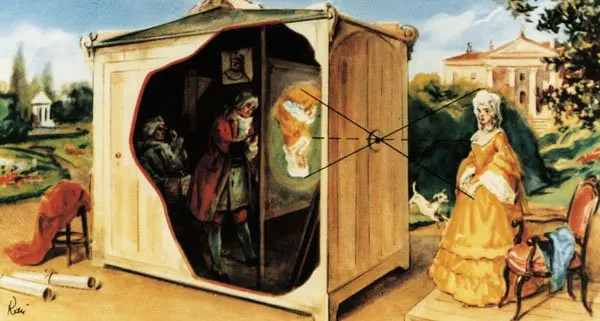
Rotoscoping functions by projecting live-action film onto a translucent surface, traditionally called a rotoscope, which allows an artist to trace the subject's outline. By placing a fresh sheet of paper or a digital layer over each frame of the original footage, the animator captures the precise nuances of movement. This method ensures that the resulting animation maintains the kinetic energy and anatomical accuracy of the live actor.
In the modern digital environment, the process is handled through specialized software. Instead of physical paper, artists use digital tablets to draw "masks" or "mattes" around subjects. These shapes follow the contours of the actor or object throughout the video sequence. By manipulating these shapes, animators can isolate subjects from their backgrounds, change their appearance, or create stylized animation that feels grounded in reality.
- Import the video footage into your animation software.
- Create a new layer for your tracing work.
- Use a pen tool to trace the outline of the subject frame by frame.
- Adjust the points of your shape to match the movement of the subject.
- Review the motion to ensure the lines remain consistent and smooth.
What is the history of rotoscoping?
The technique was invented by Polish-American animator Max Fleischer in 1915. He initially used it for his "Out of the Inkwell" series, featuring the character Koko the Clown. Fleischer’s invention revolutionized the industry by allowing cartoons to move with a level of realism that was previously impossible to achieve through manual drawing alone. His patent for the rotoscope machine was granted in 1917, marking a pivotal moment in animation history.
Throughout the 20th century, major studios adopted the method for iconic projects. Walt Disney used rotoscoping extensively for Snow White and the Seven Dwarfs (1937) to ensure the human characters moved with grace. Later, Ralph Bakshi utilized the technique in his 1978 adaptation of The Lord of the Rings, and Richard Linklater famously employed it for the distinct visual styles of Waking Life (2001) and A Scanner Darkly (2006).
- Max Fleischer patents the rotoscope machine in 1917.
- Disney uses the technique for realistic human movement in 1937.
- Ralph Bakshi brings rotoscoping to fantasy epics in the 1970s.
- Richard Linklater pushes the boundaries of the style in the 2000s.
How long does it take to rotoscope?
Rotoscoping is notoriously labor-intensive because it requires meticulous attention to every single frame. If a project runs at 24 frames per second, an animator must draw or adjust 24 individual images for every second of finished film. For a feature-length movie, this translates to tens of thousands of frames, making it one of the most time-consuming disciplines in the entire animation industry.
The duration of a project depends heavily on the complexity of the subject and the desired level of detail. A simple silhouette might take only a few minutes per frame, while a character with complex clothing, hair, or fast-moving limbs can take hours. Professional studios often employ large teams of artists to divide the workload, ensuring that complex sequences are completed within reasonable production schedules.
- Simple shapes: 5–10 minutes per frame.
- Complex characters: 30–60 minutes per frame.
- High-detail textures: 1+ hours per frame.
Common mistakes when rotoscoping
One of the most frequent errors is "jitter," which occurs when the lines or shapes shift inconsistently between frames. This happens when an animator focuses too much on individual frames without checking the flow of the entire sequence. To avoid this, it is essential to play back the animation frequently to ensure that the motion remains smooth and fluid rather than erratic or shaky.
Another common mistake is failing to account for motion blur. Live-action footage often contains blurred edges during fast movements, and beginners often try to trace these blurry edges with sharp, hard lines. This creates a jarring visual effect that breaks the illusion of reality. Experienced animators learn to interpret these blurred areas and simplify them into clean, purposeful lines that maintain the intended motion without looking messy.
- Neglecting to check playback, leading to jittery movement.
- Tracing motion blur too literally, causing harsh, flickering edges.
- Ignoring the character's weight and volume during the tracing process.
- Over-complicating the line work, which makes the final image look cluttered.
Best tools for rotoscoping beginners
For those just starting out, choosing the right software is critical to learning the workflow. Many industry professionals use Adobe After Effects, which features a robust "Roto Brush" tool that automates much of the initial selection process. This tool uses color and contrast to identify the subject, allowing the artist to refine the edges rather than drawing every single line from scratch.
Other popular options include DaVinci Resolve and Blender, both of which offer powerful masking and tracking capabilities. These programs allow users to set keyframes, meaning the software can interpolate the position of a shape between two points. This significantly reduces the amount of manual work required for simple movements. Beginners should focus on mastering these automated features before attempting to trace complex, frame-by-frame sequences by hand.
- Adobe After Effects: Excellent for professional-grade masking and edge refinement.
- DaVinci Resolve: Strong for color-based tracking and high-quality output.
- Blender: A free, powerful option for those interested in 3D integration.
- Procreate: Useful for hand-drawn, frame-by-frame artistic rotoscoping on tablets.
Key facts
- Rotoscoping is an animation technique where animators trace over motion-picture footage, frame by frame, to produce realistic action.
- The process was invented by Polish-American animator Max Fleischer in 1915 for his series Out of the Inkwell.
- Modern rotoscoping is primarily performed using digital software like Adobe After Effects, Silhouette, or Nuke.
- A primary use in modern cinema is "garbage matting," which involves removing unwanted elements from a scene to isolate a subject for visual effects.
- To achieve smooth results, animators must maintain consistent edge placement across frames to prevent "jittering" or flickering.
- When rotoscoping, always use a tablet and stylus rather than a mouse to ensure the precision required for fluid, organic movement.
The bottom line
Rotoscoping remains a foundational technique that bridges the gap between live-action realism and the creative freedom of animation. By tracing movement frame by frame, artists achieve lifelike motion that is difficult to replicate through traditional keyframing alone. Whether used for stylistic artistic expression or essential visual effects compositing, mastering this labor-intensive process requires patience, steady precision, and a keen eye for anatomical detail and timing.
People also ask
How long does it take to rotoscope a single second of film?
Depending on the complexity of the subject and the level of detail required, a single second of footage can take anywhere from several hours to multiple days to rotoscope. High-motion scenes with complex backgrounds significantly increase the time investment.
Is rotoscoping considered cheating in animation?
Rotoscoping is a legitimate artistic tool rather than a shortcut or form of cheating. It requires significant skill to capture the nuances of human movement and is widely used in professional film production to achieve specific aesthetic goals.
What is the biggest mistake beginners make when rotoscoping?
The most common error is adding too many control points to the outline, which leads to a "chattering" effect. Using the minimum number of points necessary to define the shape creates much smoother and more professional results.
Can rotoscoping be used for live-action films?
Yes, it is a staple of live-action filmmaking used for compositing, color correction, and adding digital elements behind or in front of actors. It allows editors to manipulate specific parts of a frame without affecting the entire image.
Why do some rotoscoped animations look strange?
The "uncanny valley" effect often occurs when rotoscoped movement is too realistic but lacks the subtle, secondary motion found in traditional hand-drawn animation. This can make the characters appear stiff or unsettling to the human eye.
Do I need to trace every single frame of a video?
You generally need to trace every frame to ensure consistency, though software tools like "point tracking" or "shape interpolation" can automate parts of the process. These tools estimate the movement between keyframes to reduce the manual workload.
This answer was created with the help of AI research tools and reference sources. Spotted an error? Let us know — we correct mistakes quickly. See our editorial policy.