What is an MFA?
Short answer
Multi-factor authentication (MFA) is a security process that requires users to provide two or more verification methods to access an account. By combining something you know, like a password, with something you have, like a mobile device, MFA significantly reduces the risk of unauthorized access if your primary credentials are stolen.
On this page
How does MFA work in practice
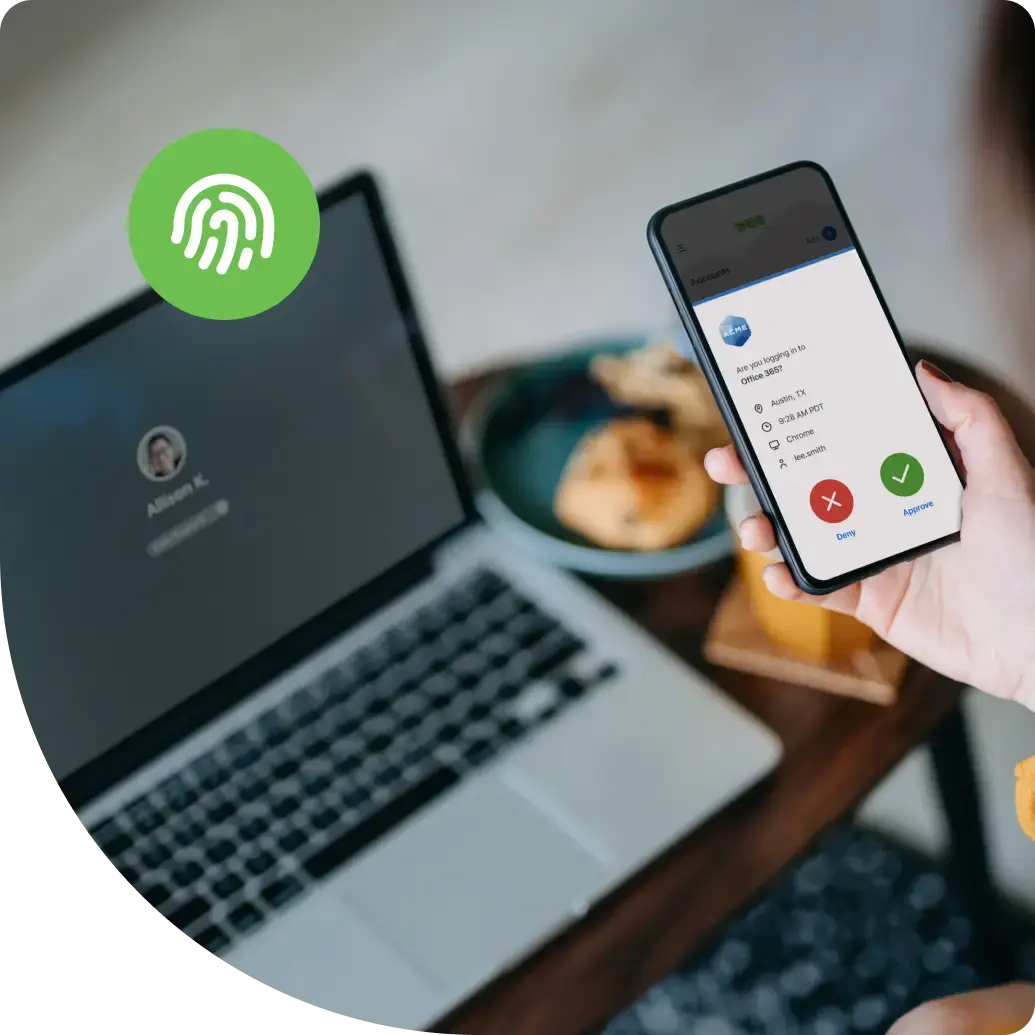
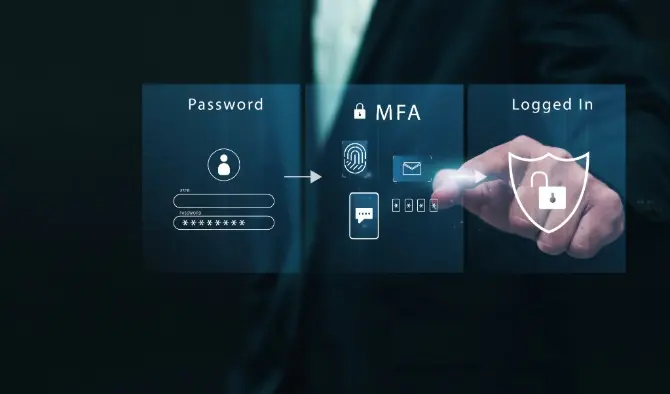
MFA functions by requiring at least two distinct categories of credentials before granting access to a digital system. These categories are generally classified as knowledge factors (passwords or PINs), possession factors (smartphones, security keys, or hardware tokens), and inherence factors (biometrics like fingerprints or facial recognition). When you log into a service, the system first verifies your password. If successful, it triggers a second request, such as a push notification or a time-sensitive code.
This layered approach creates a robust defense against common cyber threats. Even if a hacker successfully steals your password through a data breach or phishing attempt, they cannot bypass the second layer without physical access to your device or biometric data. This makes MFA one of the most effective tools for securing personal and professional accounts against remote exploitation.
How to set up MFA for beginners
Setting up MFA is a straightforward process that takes only a few minutes for most online services. Most major platforms, including banking apps, email providers, and social media sites, have dedicated security menus where you can enable these features. Once enabled, you will be prompted to choose your preferred method of verification.
- Navigate to the "Security" or "Privacy" settings page of your account.
- Select the option labeled "Two-Factor Authentication" or "Multi-Factor Authentication."
- Choose your verification method, such as an authenticator app, SMS text code, or email verification.
- Scan the provided QR code with your chosen authenticator app or enter the confirmation code sent to your device.
- Save any provided "backup codes" in a secure, offline location in case you lose access to your primary device.
Why MFA is essential for security
The primary reason for using MFA is the prevalence of credential stuffing attacks, where automated programs test millions of stolen password combinations against various websites. Since many users reuse the same password across multiple platforms, a single leak can compromise your entire digital identity. MFA acts as a critical circuit breaker, ensuring that a leaked password alone is insufficient to gain entry.
Beyond preventing unauthorized access, MFA provides users with an early warning system. If you receive a login prompt or a verification code request that you did not initiate, it serves as an immediate indicator that someone else has your password. This allows you to change your credentials immediately before any damage occurs. In an era where data breaches are frequent, MFA is the single most important step you can take to protect your sensitive information.
Common mistakes when using MFA
While MFA is highly secure, users often make configuration errors that can lead to account lockouts or security vulnerabilities. One frequent mistake is relying exclusively on SMS-based authentication. While better than no protection at all, SMS codes can be intercepted through "SIM swapping," where an attacker tricks a carrier into transferring your phone number to their device. Whenever possible, use an authenticator app or a dedicated hardware security key instead.
Another common error is failing to manage backup methods. If you lose your phone or delete your authenticator app without having a recovery plan, you may be permanently locked out of your account. To avoid this, follow these best practices:
- Always register at least two different methods of authentication, such as an app and a backup phone number.
- Store your recovery or "scratch" codes in a physical safe or a password-protected document.
- Periodically review your security settings to ensure your recovery information is up to date.
- Never share your one-time verification codes with anyone, even if they claim to be from official support.
Best MFA tools for everyday use
For most users, the best MFA tools are those that balance high security with ease of use. Authenticator apps are generally the gold standard for personal security. These apps, such as Google Authenticator, Microsoft Authenticator, or Authy, generate time-based one-time passwords (TOTP) that change every 30 seconds. They work offline and do not rely on cellular networks, making them more reliable and secure than text-based codes.
For users seeking the highest level of protection, hardware security keys like YubiKey are the top recommendation. These physical devices plug into your computer or connect via NFC to your phone. Because they use cryptographic protocols to verify your identity, they are virtually immune to phishing attacks. While they require a small initial investment, they offer a level of convenience and security that software-based methods cannot match. Regardless of the tool you choose, the most important step is simply enabling the feature on all your primary accounts to ensure consistent protection across your digital life.
Key facts
- MFA stands for Multi-Factor Authentication, a security measure requiring two or more proofs of identity to access an account.
- It adds a layer of protection beyond a password, making it significantly harder for unauthorized users to breach your data.
- Common factors include something you know (password), something you have (phone), or something you are (biometric data like a fingerprint).
- Avoid using SMS-based codes if possible, as they are susceptible to "SIM swapping" attacks where hackers intercept your messages.
- Use dedicated authenticator apps like Google Authenticator, Authy, or Microsoft Authenticator for more secure, time-based codes.
- Always save your "backup codes" in a secure, offline location in case you lose access to your primary device.
The bottom line
Multi-Factor Authentication is an essential security practice that protects your digital identity by requiring multiple forms of verification. By combining passwords with physical devices or biometric data, you create a robust barrier against unauthorized access. Although no security system is entirely foolproof, implementing MFA significantly reduces the risk of account compromise. Prioritize enabling this feature on all critical accounts to ensure your personal data remains secure.
People also ask
Is MFA the same as Two-Factor Authentication (2FA)?
They are functionally similar, but MFA is a broader term that can include more than two verification steps. 2FA is a specific subset of MFA that strictly requires exactly two factors.
What happens if I lose my phone and cannot receive my MFA code?
Most services provide backup codes or recovery keys when you first enable MFA. If you do not have these, you must follow the service provider's account recovery process, which often involves verifying your identity through email or customer support.
Can hackers bypass MFA?
While MFA is highly effective, it is not invincible. Sophisticated phishing attacks can trick users into entering their codes on fake websites, or hackers may attempt to overwhelm a user with "MFA fatigue" notifications until the user accidentally approves access.
Should I use MFA for all my online accounts?
Yes, you should enable MFA on every account that offers it, especially those containing sensitive personal, financial, or health information. Prioritize your primary email, banking, and social media accounts first.
Does MFA slow down the login process significantly?
It adds a few seconds to the login process, but the trade-off for security is substantial. Many services allow you to "trust" a device for 30 days, meaning you only need to enter the MFA code once a month on your personal computer.
Is it safe to use a hardware security key like YubiKey?
Hardware security keys are considered the gold standard for MFA because they are physical devices that cannot be intercepted remotely. They are highly resistant to phishing and provide the highest level of account protection available today.
This answer was created with the help of AI research tools and reference sources. Spotted an error? Let us know — we correct mistakes quickly. See our editorial policy.